


La nueva solución Spectra HD 1080p de Pelco ofrece 9 veces más resolución que las cámaras estándar
La nueva línea de cámaras Spectra HD 1080p de Pelco, que funciona a través de la plataforma Sarix, proporciona una gran calidad de imagen con una resolución nueve veces mayor que las cámatas de definición estándar, integrando análisis de imagen a través de ocho perfiles, un zoom óptico de 20x, y puertos para conectar accesorios USB, y permite crear hasta 32 zonas de privacidad.
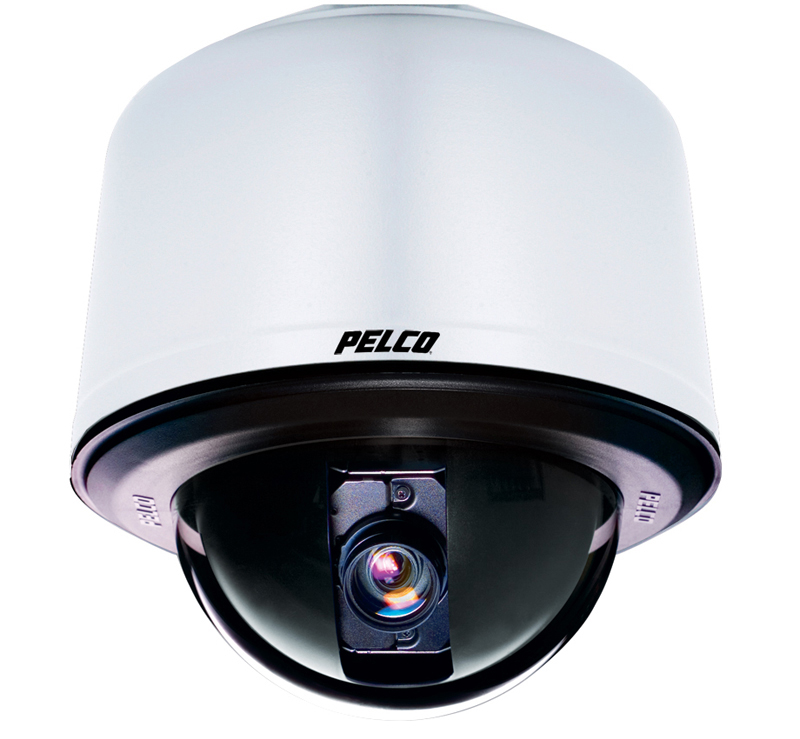
Schneider Electric ha presentado la nueva gama Spectra HD 1080p de Pelco by Schneider Electic, una versión mejorada de sus cámaras de seguridad gracias a la aplicación de la nueva tecnología de alta definición que ofrece una resolución de 2.0 megapixels. Esta gama ha sido concebida para superar las limitaciones que experimentaban las cámaras de definición estándar. La tecnología HD permite una resolución nueves veces más definida y es ideal para ver detalles como el rostro o las placas de las matrículas. Spectra HD1080p, besides, muestra en directo las imágenes en streaming a través de Internet utilizando cualquier navegador web.
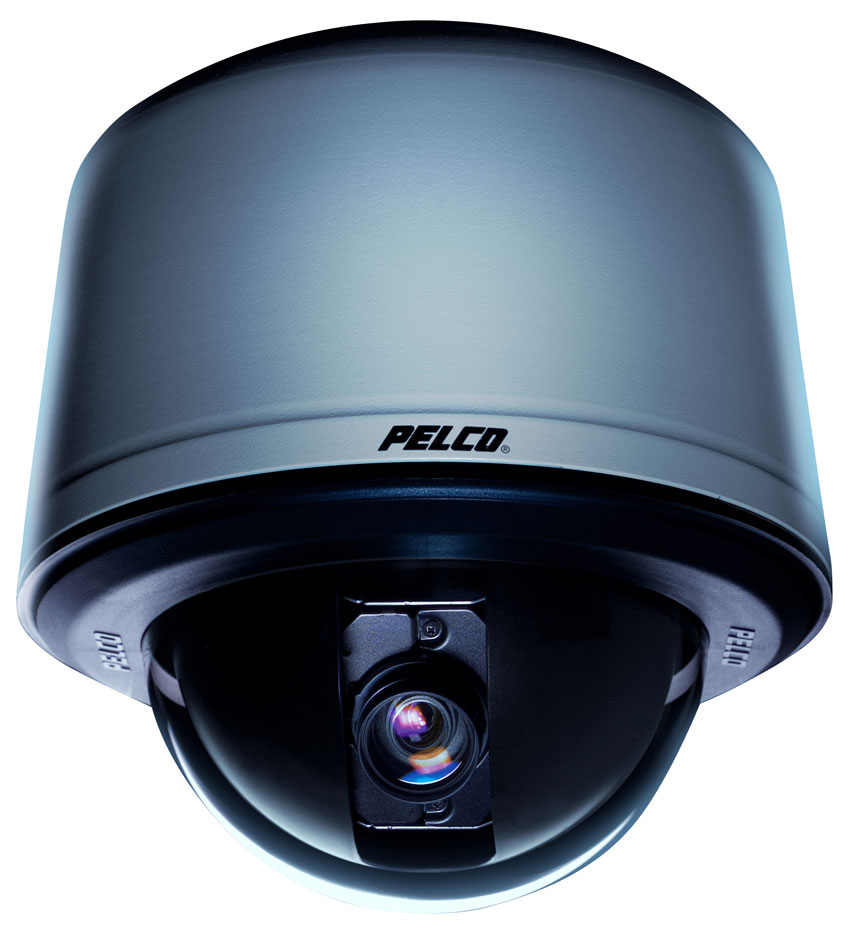
Spectra HD 1080p incluye una selección de cuatro modelos de cajas posteriores: techo en interiores y exteriores, y colgante en interiores y exteriores. Su modelo colgante ha sido diseñado con una nueva tecnología que permite eliminar las posibles vibraciones de cámara, de modo que la calidad de imagen es mucho mejor. Todos los modelos exteriores, besides, cumplen con NEMA 4X, IP66 cuando están correctamente instalados. La nueva gama de Pelco by Schneider Electric cuenta con la misma facilidad de instalación y de mantenimiento de siempre. Cada sistema consta de una caja, un módulo de cámara y un domo inferior.
Más privacidad
La nueva Spectra HD 1080p tiene 360 grados de rotación continua de cámara y permite crear hasta 32 zonas de privacidad. Estas zonas ocultadas aparecerán en pantalla como una ventana gris sólido de manera que el operador de la cámara no podrá visionar esas zonas privadas.
La compatibilidad del sistema
Spectra HD 1080p se conecta fácilmente con sistemas IP de Pelco by Schneider Electric e híbridos como Endura versión 2.0 (or later) y Digital Sentry versión 7.3 (or later). La cámara también es compatible con el software de gestión de vídeo Digital Sentry NVs (DS NV), que incluye cuatro licencias IP Pelco gratuitas y facilita la gestión de vídeo de 64 cameras. El sistema domo cuenta con una arquitectura de conexión abierta a terceros que permite la integración dentro de cualquier sistema IP basado en la alta definición.
Pelco Analytics: comportamientos
Spectra HD 1080 permite al usuario escoger entre nueve posibilidades de configuración de comportamiento de cámara – pudiendo ejecutar hasta tres comportamientos al mismo tiempo – aunque el número de conductas se limita a la potencia del procesador de cámara y el tipo de analítica que se utiliza. El usuario puede crear varios perfiles personalizados por cada comportamiento, que contienen ajustes de cámara distintos. Con estos perfiles, se pueden establecer diferentes escenarios para cada situación, lo que automáticamente Spectra HD detectará y activará alarmas cuando se produzca la actividad específica.
Pelco Analytics se configura y se habilita utilizando un navegador web estándar. El comportamiento de las alarmas Pelco es compatible con Endura y con un sistema de terceros que soporta el sistema Pelco API. Se pueden programar varios comportamientos de Pelco durante un cierto tiempo. For example, durante el día una cámara puede estar configurada con el comportamiento “Recuento de Objetos” para contar el número de personas que entran por una puerta, y por la noche, el operador puede cambiar el perfil al comportamiento “Cámara Sabotaje” para disparar una alarma si la cámara se mueve o es obstruida. Los nueve tipos de comportamientos de Pelco incluidos en Spectra HD son:
· Objetos Abandonados: Detecta los objetos colocados dentro de una zona previamente definida. Si el objeto permanece dentro de ese espacio más tiempo del que ha sido definido por el usuario, se dispara una alarma. For example, una terminal de aeropuerto o un cajero automático pueden ser dos instalaciones donde se de este comportamiento.
· Detección de Movimiento: Detecta y rastrea objetos que están en el campo de visión de Spectra HD 1080. Cuando los objetos entran en la zona definida por el usuario, la cámara activa una alarma. Este comportamiento se utiliza principalmente en entornos exteriores con luces producidas por el tráfico para reducir el número de falsas alarmas causadas por los cambios del medio ambiente.
· AutoTracker: Como el comportamiento ‘Detección de Movimiento’, detecta y rastrea el movimiento en el campo de visibilidad de la cámara. Con AutoTracker, besides, el sistema se desplaza y se inclina automáticamente siguiendo el objeto en movimiento hasta que se detiene o desaparece de la zona vigilada.
· Cámara Sabotaje: Detecta los cambios de contraste en el campo de visión.La alarma se activa si el objeto está obstruido, For example, por pintura de aerosol, ropa o si está cubierta por la tapa de la lente. También se activaría con cualquier reposicionamiento no autorizado de la cámara.
· Movimiento Direccional: Genera una alarma en una zona repleta de gentío cuando una persona u objeto se mueve en una dirección específica. Las instalaciones perfectas para este tipo de comportamiento serían la puerta de un aeropuerto o de un túnel donde las cámaras pueden detectar objetos que se mueven en la dirección opuesta al flujo normal de tráfico, For example, un individuo que entra a través de una puerta de salida.
· Detección de merodeo: Identifica las personas o los vehículos que permanecen en la zona definida por el usuario más tiempo del que ha delimitado. Este comportamiento es eficaz en comportamiento sospechoso en torno a los cajeros automáticos, escaleras o patios escolares.
· Recuento de Objetos: Cuenta el número de objetos que entran en la zona definida por el usuario. Este comportamiento se basa en el seguimiento, y puede ser usado para contar el número de personas que entran y salen de una tienda.
· Objeto de Eliminación: Dispara una alarma si un objeto se elimina de la zona definida por el usuario. Este comportamiento es ideal para clientes que quieren proteger objetos de alto valor, como por ejemplo un cuadro de pintura o una escultura.
· Vehículos Parados: Detecta a los vehículos que están detenidos cerca de la zona delimitada por el usuario. Este comportamiento es muy recomendable para controlar el comportamiento en un parking, vehículos sospechosos, averías en un carril de tráfico y los vehículos que esperan delante de las puertas.
Did you like this article?
Subscribe to our NEWSLETTER and you won't miss anything.
Related articles
 Vivitek Sand Q8: Pocket Led projector with Full HD 1080p resolution
 Pelco by Schneider Electric optimizes its Esprit SE PTZ camera system to IP
 Schneider Electric anuncia el nuevo sistema de posicionamiento de domos Pelco Spectra HD 1080
 Pelco multiplica las oportunidades de las cámaras analógicas
 Meridian ofrece una nueva solución de kiosco de digital signage interactivo
 Pelco anuncia la nueva serie BU de cámaras tipo bala con iluminación infrarroja de largo alcance
 AMX brinda una nueva versión del Rapid Project Maker, que permite configurar una instalación 60 veces más rápido
 Schneider Electric Offers New, More Powerful Pelco Digital Sentry Video Management Solution
 Integración de los NVRs de Hikvision con las cámaras de red de Pelco
 El nuevo proyector DLP portátil EP5920 de BenQ ofrece resolución 1080p Full HD
 Pelco anuncia una nueva línea de cámaras de seguridad tipo domo fijo, bala y caja
 Alava Ingenieros ofrece una solución integral para equipar UAVs con cámaras hiperespectrales y multiespectrales
 Sony shows its new hybrid camera solution at the SICUR fair
 Adder ofrece una nueva solución KVM y AV para proyectos de digital signage