





Panasonic allows Wi-Fi projection from mobile terminals with the Wireless Projection app
The Wireless Projection app is a free application that allows you to project from mobile devices over a Wi-Fi network to a Panasonic projector.
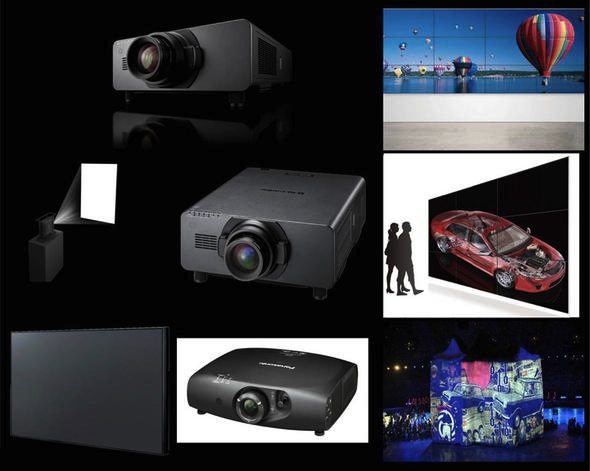
The ubiquity of mobile devices has led users to be accustomed to information always being available., anywhere and anytime, y, besides, make it very easy to share. Panasonic wanted to transfer these requirements to visual communication and, for it, has integrated wireless capability into its entire line of projectors.
A further step in this evolution towards wireless projection from Android mobile devices is the availability of the Wireless Projection app on Google Play store.
Panasonic Wireless Projection is a free application that allows you to project screenshots, PDF files, PowerPoint and JPEG images stored on Android devices over a wireless LAN (Wi-Fi) on a Panasonic projector. The application is very easy to use and allows you to view the pages, girarlas, Enlarge or reduce images by simply touching the screen.
Panasonic Wireless Projection app for Android/iOS and Wireless Manager ME for Windows/Mac OS makes it easy to connect multiple devices wirelessly, which eliminates compatibility issues, as well as the need to change the input on the projector or reconnect devices. This allows sharing and switching teams for multiple collaboration formats without difficulty.
 Multi-Live mode
Multi-Live mode allows simultaneous wireless projection from up to 16 PCs or Android/iOS devices. This functionality is especially useful for meetings and classes in which participants use multiple devices..
Besides, This functionality allows the content of four screens to be displayed simultaneously at the same level and up to 16 different screens in small, highlighting only some of them in particular, which is selected through the projector menu.
Did you like this article?
Subscribe to our NEWSLETTER and you won't miss anything.
Related articles
 Viva Wallet integrates Elo's Android mobile terminals into its payment systems
 AMX CT Series allows you to share content from any device in meeting rooms
 Biamp Crowd Mics allows the audience to participate in events through their mobile phones
 Projection Artworks redefines the boundaries of videomapping with Panasonic projection technology
 Live screening of the opera 'Manon Lescaut’ from the Liceo in Barcelona to the Plaza Mayor in Madrid
 Brainstorm allows a presenter to be 'transported' from the TVE1 studio to the Congress of Deputies
Wireless Solution technology allows Horacio Llorens' flight to be filmed in full Aurora Borealis
Brainstorm allows a presenter to be 'transported' from the TVE1 studio to the Congress of Deputies
Wireless Solution technology allows Horacio Llorens' flight to be filmed in full Aurora Borealis
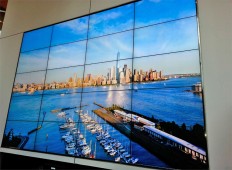 A video wall allows you to see from inside the 111 Town Square Place what's happening in Manhattan
D-Link DCS-5020L monitors security from mobile devices in the cloud
D-Link DCS-933L, IP video surveillance camera for mobile terminals operated by Wi-Fi
A video wall allows you to see from inside the 111 Town Square Place what's happening in Manhattan
D-Link DCS-5020L monitors security from mobile devices in the cloud
D-Link DCS-933L, IP video surveillance camera for mobile terminals operated by Wi-Fi
 They design a new tele-rehabilitation system for patients with brain damage that allows therapy from home
 Renova allows Lisbon and Porto Metro users to order toilet paper from the platform
 Osram Ostar Projection Cube: a qualitative leap in projection from smartphones and cameras
 Bloomingdale's launches a virtual reality window that allows you to try on glasses from the sidewalk