





MA Lighting incorporates Wyswig to its grandMA3 Viz-key solution
The new device allows stable and secure connectivity in lighting control systems, enabling all the necessary parameters for visualization.
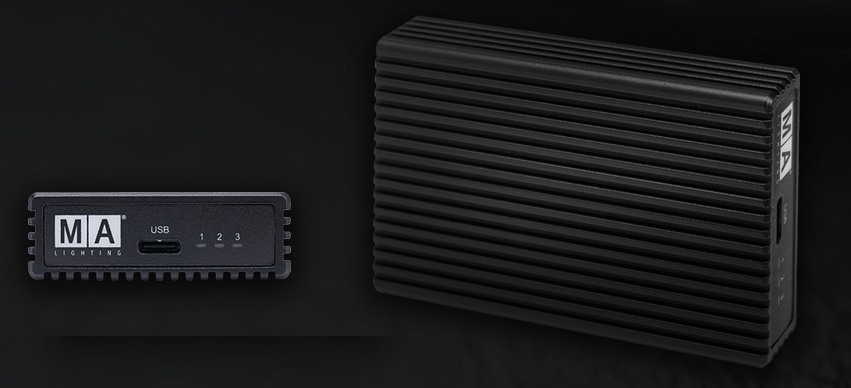
MA Lighting, brand represented by Stonex, has incorporated the Viz-key device into its grandMA3 solution, capable of offering MA-Net3 connectivity on the network and display of parameters from third-party software such as Wysiwig.
Each display station requires a dedicated grandMA3 Viz-key and works for Wysiwig along with other third-party display manufacturers.
A manufacturer-specific dongle is not necessary, since a single device offers a solution for everything. Besides, The grandMA3 Viz-key features 512 onboard parameters. This allows simple fixation tests to be carried out in the real world if no other parameters are available..
Only in a grandMA3 onPC solutions environment, los 512 parameters will be added to the existing parameter count. Even adding multiple grandMA3 Viz-keys into one system will only add a total of 512 parameters, The maximum parameter count within the grandMA3 onPC solution range remains 4 096. Los 512 Parameters can be output via DMX over Ethernet.
The grandMA3 Viz-key works independently of Internet connectivity up to 10 days before an update is needed to re-validate it.
Among the third-party viewers that Viz-key is compatible with is Wysiwig, along with others like Vectorworks, Capture Visualisation, Imaginary Labs, inter alia.
Each display software version is tested and verified before being activated to communicate with the grandMA3 Viz-key. La grandMA3 Viz-key, is the easiest way to cross-connect between any scale of the grandMA3 lighting control system and a compatible third-party display.
Connection way
To connect it, The first thing is to make sure that all devices are on the same network and have matching IP addresses (For example, 192.168.1.x). After this you have to start the visualization tool and enable MA-Net connectivity. The next step is to launch the grandMA3 software and go to Network to see the visualization tool in “NetworkNode”. Finally, the visualization tool must be invited to the grandMA3 session (both display files must match). If the software versions do not match, update the display software via grandMA3 Menu/Settings/Software Update.
Software compatible con grandMA3 viz-key:
- Capture Visualisation – Capture.
- Imaginary Labs – Carbon For Unreal.
- Syncronorm – Depence.
- Vectorworks – Vision.
- Vision 2021 Service Pack 2.1 from Vectorworks.
Did you like this article?
Subscribe to our NEWSLETTER and you won't miss anything.
Related articles
 Elation Lighting adds X-Laser solutions to its portfolio
 Sony incorporates the Telelogos digital signage solution in its Bravia screens
 MA Lighting joins SeeSound's lighting solutions offering
 Sony incorporates Navori's digital signage solution into its Bravia 4K range
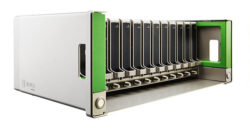
 MA Lighting GrandMA3 onPC Rack Unit: lighting control in rack format
 MA Lighting introduces new software updates for grandMA3 and grandMA2
 GrandMA3 presents its new Command Wing XT portable lighting console
 MA Lighting takes the lead on stages with GrandMA3
 Ikusi incorporates the Pro encryption solution:Idiom to your hospitality application portfolio
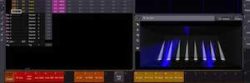 MA Lighting presents the new software for GrandMA3 at the Stonex conference
Volanti Display incorporates BrightSign players into its video wall solution
Easynet incorporates the Acano platform into its MVC video conferencing solution
MA Lighting presents the new software for GrandMA3 at the Stonex conference
Volanti Display incorporates BrightSign players into its video wall solution
Easynet incorporates the Acano platform into its MVC video conferencing solution
 Versatile incorporates a new version of its Smart Sign digital signage solution
 Alcatel Phones adds an IP video intercom solution to its portfolio