


AV Stumpfl impulsa con Pixera 2.0 video design and mapping software
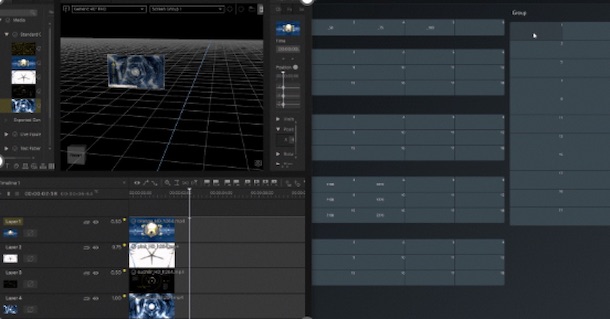
Greater functionality, eficiencia y creatividad es lo que ofrece BY Stumpfl con la última actualización de Pixera para abordar más aplicaciones creativas y técnicas en proyectos audiovisuales.
The new version 2.0 by Pixera ofrece a los profesionales de la industria AV avanzadas características y funcionalidades para realizar software de diseño, visualización y mapeo de vídeo, “dando un salto cualitativo en funcionalidad, eficiencia y creatividad, abriendo un abanico casi infinito de posibilidades para múltiples proyectos”.
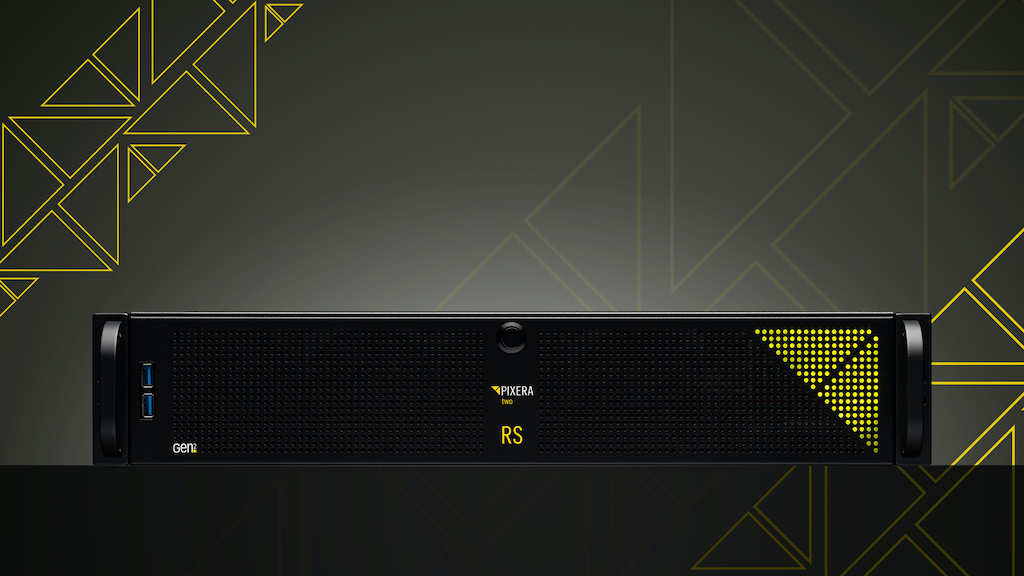 Estas mejoras que AV Stumpfl, brand that sells in Spain SeaSound, ofrece en Pixera 2.0 proporcionan a los profesionales que realizan videomapping y otros proyectos de visualización una gama más amplia de técnicas y aplicaciones creativas, como las que se describen a continuación.
Características de Pixera 2.0
- Multiusuario: permite la colaboración simultánea en un proyecto con sincronización de cambios específicos o actualizaciones continuas en todos los sistemas.
- Programación en seco: crea configuraciones de sistema simuladas, independientes del hardware real, lo que facilita la preparación anticipada de espectáculos y la asignación de direcciones IP de sistemas en vivo, as needed.
- Backup: detecta fallos y permite que otro director tome el control, asegurando que todos los demás estén actualizados y listos para reemplazar un sistema en caso de fallo.
- Perspectivas para grupos de pantallas: cada grupo de sistemas visuales puede tener su propio conjunto de perspectivas, lo que determina cómo se ven las capas.
- Grabación DMX: registra eficientemente los datos DMX entrantes, filtrando ruido y creando clip de línea de tiempo que replican dicha entrada.
- Control presets grids: ofrece ajustes preestablecidos para una amplia gama de contenido de Pixera, facilitando así la selección y aplicación de efectos y configuraciones.
- Hot regions SMPTE: define rangos de código de tiempo en los que una línea de tiempo responde a la entrada SMPTE.
- Efectos de mapeo de capas: brinda libertad total para mapear píxeles de contenido a pantallas basándose en la posición de las pantallas en el espacio.
- Unreal Engine 5.2: ofrece soporte para la versión 5.2 de Unreal Engine cuando se usa como un recurso de composición.
- Calibraciones de cámara dependientes de la posición en el estudio: asocia diferentes posiciones con deformaciones correctivas 2D de la salida de la cámara para una calibración precisa.
- Calibración automática de color: adapta automáticamente la salida Led para que las cámaras de estudio capten los colores correctos en un entorno virtual.
- Velocidad de la línea de tiempo: ajusta suavemente la velocidad para una línea de tiempo completa.
- LTC Audio: recibe código de tiempo longitudinal (LTC) directamente desde la tarjeta de entrada de audio de un servidor.
- File versioning: gestiona diferentes versiones de activos de contenido a través de la interfaz de usuario de Pixera.
- Cámara de vista previa: guarda y anima diferentes puntos de vista en el espacio 3D, con salida a través de NDI.
- Navegador de API de control: interfaz de usuario para exploración y configuración rápida de acciones de control para su uso en interfaces de constructor de UI y scripts de Lua.
- Integración de seguimiento de control: incorpora la integración nativa de protocolos de seguimiento, como SPNet, BlackTrax, TrackMen, Opti-track, MoSys, FreeD, Stype y PSN.
- Mapas de calor: calcula valores Lux para pantallas basándose en los datos del proyector y en su posición en el espacio 3D.
- Bloqueo de la GUI: crea un código para bloquear y proteger la interfaz de usuario de cambios no deseados.
- Encriptación de contenido: permite que Pixera encripte contenido para que solo pueda reproducirlo el motor.
- Patrones de prueba personalizados: ajusta individualmente los patrones de prueba para deformación y mapeo de píxeles.
- Multirecurso: maneja un recurso dividido como si fuera un clip.
- Deformación poligonal: crea diferentes formas en las salidas y aplica deformaciones adicionales a ellas.
- Audio over clients: reproduce archivos de audio en las tarjetas de sonido de otros clientes, con capacidad de hasta 128 canales de audio por cliente.
- Capa de referencia: asigna un recurso a una capa para utilizarlo posteriormente como textura en otras capas del proyecto, todo con un mínimo procesamiento de renderizado adicional.
Did you like this article?
Subscribe to our NEWSLETTER and you won't miss anything.
Related articles
 AV Stumpfl charts a new course with Pixera in LED content for Carnival Cruise
 Metallica boosts world tour AV experience with AV Stumpfl Pixera
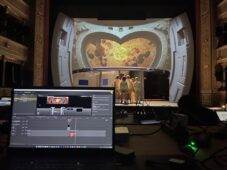 AV Stumpfl manages the futuristic work of the Schauspielhaus Graz theater with Pixera
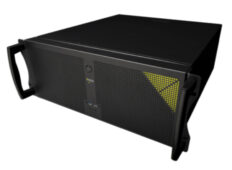 AV Stumpfl expands processing capacity in Pixera four with Ada
 InfoComm 2024: AV Stumpfl takes Pixera four to a new level with Ada
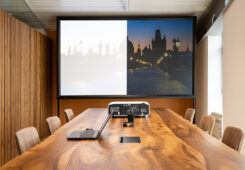 AV Stumpfl acudirá and LDI 2023 with the version 2.0 from Pixera and the Blackpeak screen surface
 AV Stumpfl Pixera helps design creative experiences in places of worship
 Pixera promotes a historic journey on Hong Kong's Peak Tram
 AV Stumpfl will bring its new Pixera system to Las Vegas
 AV Stumpfl will show at InfoComm 2021 the version 1.8 by Pixera
 Digital Projection technology powers the mapping of Kunstareal Conecta in Munich
 AV Stumpfl presents than LDI 2019 the new version of Pixera software
 Seesound distributes AV Stumpfl's Pixera media server in Spain
 AV Stumpfl chose ISE 2019 to showcase the possibilities of your Pixera software 1.0