





Seven points to take into account in a business video conferencing application
Getting the most out of video conferencing solutions in organizations is not always easy. Jose Paz, general director of Avaya Spain and Portugal, analyzes in this Tribune for Digital AV Magazine the applications available on the market and their most important characteristics in seven key points to take into account.

The video, whether on the go or on the desktop, It is practically common in our private and professional lives.. Each video provider claims to have the most viable and interesting solution on the market at our disposal., and the offer of these is increasingly wider, which frequently complicates the lives of users when it comes to digesting all the available information and making the decision as to which is the most appropriate for each company..
But not all solutions are equal, and despite the efforts of the companies' marketing departments, The reality in many cases is very different from what they want us to see.. Analyzing the applications available on the market and their most important features, We have put together a simple list with seven points about video conferencing, both mobile and desktop, what is important to take into account.
1.- That an application is 'downloadable for free in the app store', It does not mean that anyone can then easily join a conference. Freely downloadable simply means that: which is downloadable for free.
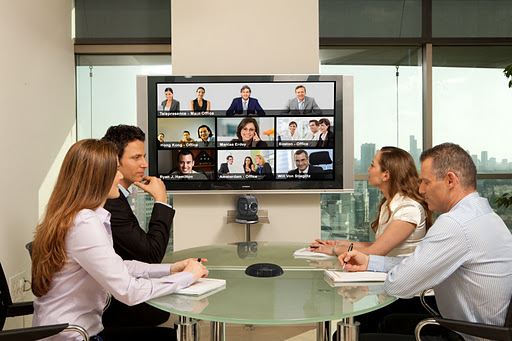 Several providers offer free video conferencing apps through iTunes and Google Play, but many of these applications do not allow you to participate in a video conference without having to then go through a complex configuration and authorization process and, in many cases, Problems with the equipment or corporate firewall do not allow us to connect.
To avoid those problems, Companies like Avaya allow the user to, when you download our free Scopia Desktop and One-X Mobile solutions, do not need a user-specific license, unlike other providers who require it, even for occasional users.
2.- If you can't easily join a call, you may not be able to join any. Many vendors' solutions require downloads, complex licensing processes and registrations. With Scopia videoconferencing we avoid this process thanks to its built-in transversal firewall, which allows a user to participate in a call without having to call the company's IT team for help. Just click the link and join the call. Yes indeed, If we are using a laptop we must make sure before testing the speakers and microphone.
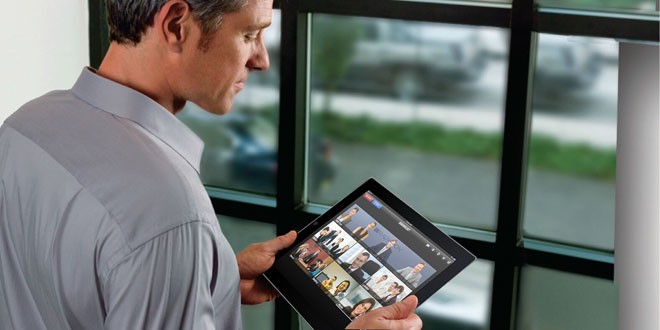 3.- The benefits of video conferencing are dramatically reduced if we can only invite a select few users.. Many of the mobile and desktop applications available today are based on proprietary technologies and, therefore, closed. Only standards-based solutions allow us to connect with other standards-based systems from other providers. (unless we add gateways and a little creativity). Proprietary solutions limit connectivity to other potential users and gateways add latency and compromise video and sound quality.
4.- When we cannot take advantage of the audio, video and data sharing, Are we facing a true collaboration? Evidently, if some of these three items are not available, the quality of the experience is very limited and compromises possible collaboration, both external and internal. These features should be available for any device, whether in a conference room, on the user's desktop or while mobile.
5.- The latest technologies do not matter if the video conferencing solution does not take advantage of them. Some solutions do not take full advantage of the industry's advanced protocols, such as scalable H.264 video encoding (SVC), allowing you to offer an excellent video experience, even on “data lossy” networks.
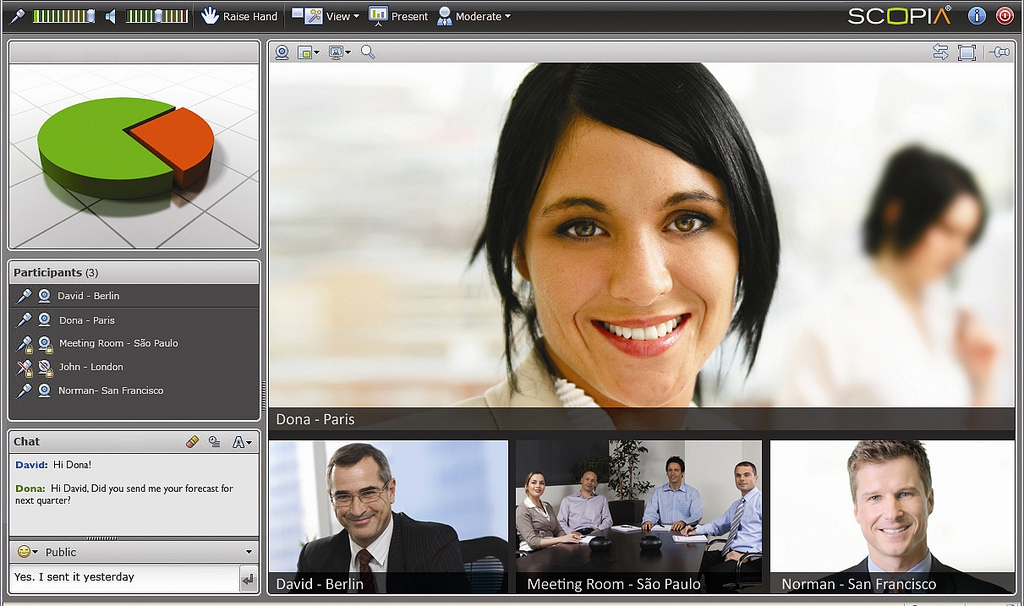 More recently, H.624 High Profile encoding reduces the required bandwidth by 50%. Avaya Scopia Desktop takes advantage of SVC, ato profile and NetSence, an algorithm designed to calculate and adapt the necessary bandwidth taking into account public networks.
Con NetSence, call quality will continue to be ideal, regardless of bandwidth availability and changes.
6.- A solution is not based on 'the cloud' just because it includes the word 'cloud' in its name.. There are currently many viable video solutions for small and medium-sized businesses that are cloud-based., including Scopia. But before a company jumps headlong into the cloud world, It is advisable to also analyze the proven solutions that can be installed in our offices or through service providers..
7.- All providers claim to offer easy-to-use mobile video, but a picture is worth a thousand words. In this sense, It is more than advisable to ask your potential suppliers to demonstrate their offers on the company's Apple iOs or Android mobile devices., since this way not very pleasant surprises are avoided.
Jose Paz
General Director of Avaya Spain and Portugal.

Did you like this article?
Subscribe to our NEWSLETTER and you won't miss anything.
Related articles
 “Digital Projection has a projector for every application”, Carlos Bonet and Stephane Bourdon
 Vioso 6 SIM promotes the Seven Oceans Simulation Center
 Interactive augmented reality to have dynamic video calls in real time
 Pexip and Ikusi will provide turnkey business video conferencing
 “At Absen we are in an ideal position and very proud to have four types of miniLed panels”
 Sonar360º by Mediapro will premiere seven fulldome audiovisual pieces
 What does a great room need to have a productive and collaborative meeting??
 Panasonic KX-VC2000: Multipoint business video conferencing in Full HD
 Running of the Bulls The Exhibition makes you live the passion of San Fermín without having to stand in front of a bull
Polycom RealPresence EduCart 500 y Utility Cart 500, videoconferencing for the educational and business environment
NEC Display expands PA Series with seven new UHD projectors
Running of the Bulls The Exhibition makes you live the passion of San Fermín without having to stand in front of a bull
Polycom RealPresence EduCart 500 y Utility Cart 500, videoconferencing for the educational and business environment
NEC Display expands PA Series with seven new UHD projectors
 ICEX Conecta resumes its business advice program via videoconference in January 2014
 Interoute SmartPoint: all-in-one business video conferencing solution
 teamLabHanger, or what the Japanese understand by having a 'good perch'’