


Matrox Monarch HDX incorporates dual H.264 encoder to transmit and record video at the same time
Diseñado para utilizar en entidades emisoras y difusoras de contenido en directo, Matrox Monarch HDX permite ser utilizado como codificador para la transmisión en directo y, simultaneously, para grabar archivos de vídeo.
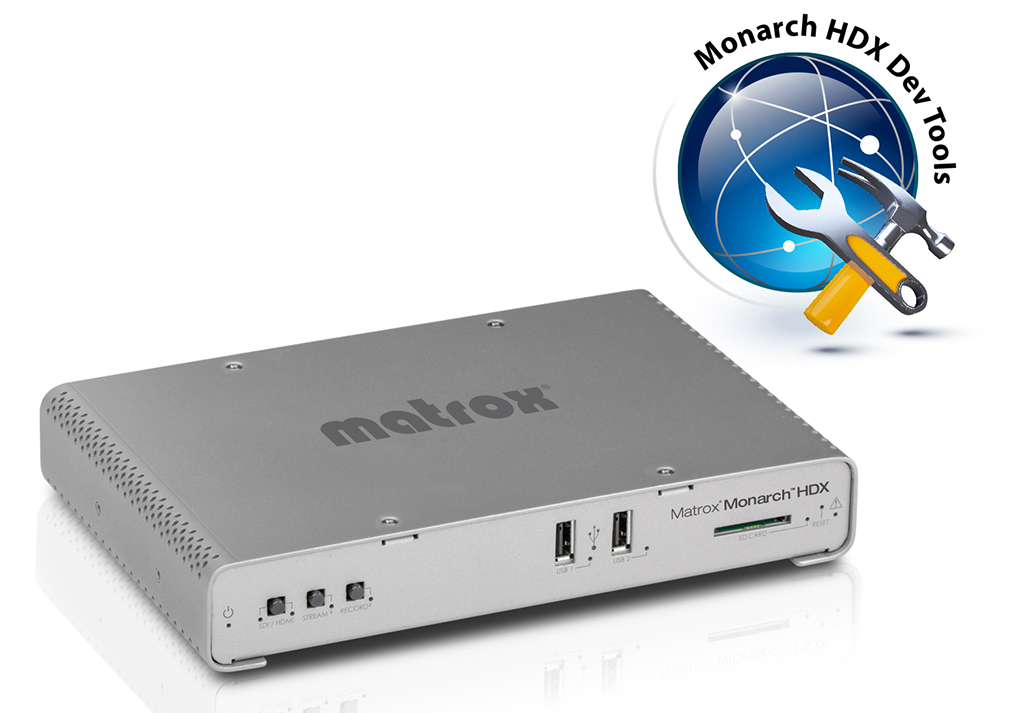
El codificador Monarch HDX de Matrox Video dispone de conexiones 3G-SDI y HDMI con sincronización de cuadros para corregir cualquier irregularidad de entrada, así como dos codificadores H.264 independientes que pueden asignarse a distintas tareas. Este equipo será presentado en IBC 2015, feria que se celebra del 11 al 15 September in Amsterdam
Con los dos codificadores, integrados en un mismo dispositivo, Monarch HDX puede abordar cualquier tarea y transmitir a dos destinos distintos, grabar un archivo con calidad proxy, mientras simultáneamente se graba una versión en calidad máster para su edición posterior, o usar un codificador para transmitir mientras el otro codificador graba el contenido a una calidad más alta para descargas VOD. Tanto si se utiliza como codificador de transmisión en directo o para grabar vídeo, es posible su integración en cualquier instalación SD o HD.
Monarch HDX reparte 30 Mbps de capacidad de codificación entre los dos canales. Cada canal cuenta con un potente motor de escalado, des-entrelazado y de reducción de ruido que garantiza que los codificadores solo recibirán imágenes impolutas.
Cuando se emplea como codificador de transmisiones por internet, Monarch HDX genera una transmisión codificada en H.264 que cumple con los protocolos RTSP o RTMP. Es posible asignar cada canal de forma separada para transmitir solo lo que se necesite y cuando se necesite a una velocidad de hasta 10 Mbps, permitiendo transmitir de forma simultánea a dos destinos o configurar el dispositivo para transmitir hasta 20 Mbps de calidad a un único destino de codificación.
Un codificador que ha sido diseñado para utilizar en entidades emisoras y difusoras de contenido en directo que necesiten una solución flexible que sea lo suficientemente potente como para satisfacer las exigencias de los flujos de transmisión de vídeo.
Grabación de doble canal
El contenido se captura en archivos MOV o MP4 para garantizar que puedan reproducirse en cualquier aplicación. Las grabaciones pueden almacenarse localmente en una tarjeta SD, memoria USB o en remoto en unidades asignadas a redes.
La grabación de doble canal permite al usuario grabar contenido de forma simultanea en local o en una unidad, lo que quiere decir que cualquier usuario de la red puede acceder a los archivos inmediatamente. Esto también garantiza que ninguna acción se pierde, incluso si la red falla. Besides, si el contenido se envía a dispositivos con capacidades de decodificación variables, cada grabación puede configurarse con distintas tasas de bits.
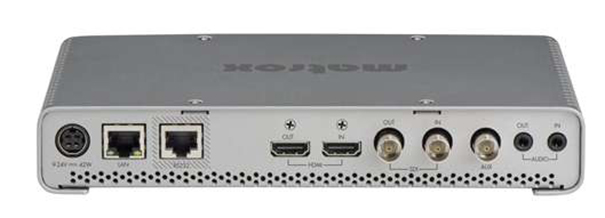
La grabadora de vídeo H.264 Monarch HDX acepta señales de fuentes HDMI y SDI. La entrada se selecciona usando la IU basada en web, Matrox Command Center, o directamente en la propia unidad. Permite una amplia configuración de conectividad a dispositivos como cámaras, conmutadores o routers. Ambas entradas se complementan con sincronizadores de cuadros internos para garantizar que la transmisión y la grabación se realicen sin interrupciones, independientemente de las alteraciones en la salida.
También puede seleccionarse el audio entre los dos canales de la señal de vídeo integrado o la entrada de estéreo analógico. El audio puede silenciarse y activarse dinámicamente sin afectar al proceso de codificación del vídeo.
Independientemente de la selección de entrada, el vídeo SDI o HDMI y el audio integrado y analógico, las salidas son en directo. En los procesos SDI, la grabadora Monarch HDX tiene una latencia de transferencia extremadamente baja con un relé integrado sin pérdida de potencia que, en caso de que se pierda potencia, enrutará la entrada SDI directamente a la salida SDI, garantizado la integridad de la ruta de la señal y opciones de diseño a prueba de fallos.
Matrox Monarch HDX puede controlarse y configurarse a través del Command Center de Monarch HDX utilizando cualquier dispositivo en la red que tenga soporte para una aplicación de búsqueda en la web estándar como un ordenador, teléfono inteligente o tablet. Diseñado para que al operador le resulte fácil de usar, los controles máster proporcionan operaciones que se activan con un clic para empezar a transmitir y grabar (o ambas cosas) desde cualquier lugar a través de la interfaz de usuario.
El codificador H.264 Monarch HDX proporciona previsualizaciones muy útiles de la entrada con una tasa de bits baja directamente en la interfaz de usuario del Command Center. Esta misma vista previa puede visualizarse usando reproductores de software como VLC o en dispositivos de terceros, como los paneles de control Crestron. Esta transmisión está disponible de forma independiente de los dos canales de codificación, lo que permite comprobar la señal de vídeo antes de activar la transmisión por internet en directo.
Did you like this article?
Subscribe to our NEWSLETTER and you won't miss anything.
Related articles
 El codificador Matrox Monarch contribuye a que los niños de Zambia tengan un futuro mejor
 John Brown University Celebrates Centennial with Matrox Monarch HDX
 La Salle University in Mexico installs Matrox Monarch HD to broadcast events and meetings
 Matrox Maevex 6120: Dual encoder for 4K streaming and recording
 CERN chooses Matrox Monarch to reproduce and record the latest scientific findings
 Matrox offers at ISE 2018 centralized AV monitoring with Monarch LCS Radar
 Guildford School of Drama uses Matrox Monarch HD to stream shows
 Belden desarrolla un cable estructurado para transmitir señales de vídeo en HDBaseT
 Matrox presents its new Maevex encoder 6150 for 4K streaming and recording
Avermedia Avercaster RS9269: 4K/HEVC encoder to output 4K video over network
Matrox presents its new Maevex encoder 6150 for 4K streaming and recording
Avermedia Avercaster RS9269: 4K/HEVC encoder to output 4K video over network
 Matrox Monarch LCS: H.264 encoding for recording classes and lectures
 Axis Q7436 y Q7920: codificador de vídeo en tarjeta y chasis para soportar hasta 84 cámaras de seguridad
 Plustek lanza un codificador de vídeo multicanal de alto rendimiento para vigilancia IP
 AXIS Q7424-R, codificador de vídeo muy resistente optimizado para entornos exigentes