





Extron simplifies its Room Agent room reservation system with version 1.1
New software version turns TouchLink Pro touchscreens into multifunction devices, with all the information and availability in up to twenty-three languages for meeting room reservations from any device connected to Microsoft Exchange.
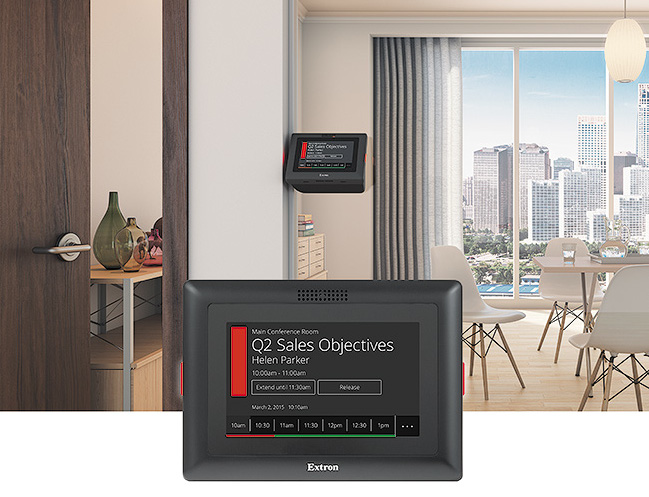
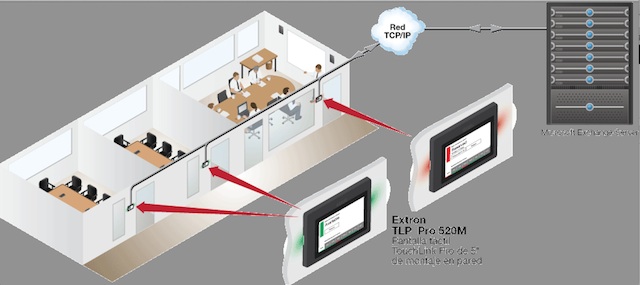
Extron Electronics version is available 1.1 of your Room Agent meeting room reservation system, that speeds up and simplifies the management of available spaces in organizations and converts the TouchLink Pro touch panel, in sizes 5 y 7”, on a multifunction device with all the meeting information and its availability without the need for programming, since it operates as a client of the server Microsoft Existing Exchange.
Among the new features of Room Agent version 1.1 highlight the activity schedule file to capture events for each meeting room, a registration button that confirms scheduled session attendees and support in twenty-three languages.
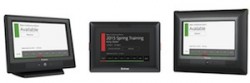
Extron has made the room reservation process as simple as possible on the touch panel, that only requires pressing the so-called button and that thanks to a new interface, provides at a glance the conditions of the room for the rest of the day, with Led inside the screen bezel to see the status quickly, even from the hallway.
As Casey Hall explains, vp. Extron Sales and Marketing, “since we announced its launch last spring, room reservation scheduling system has improved the experience in space availability around the world, that are in high demand. This new version further simplifies the process by adding more tools, customization options and improved language support”.
While other devices rely on additional booking software or external processors, Extron room reservation touchscreens connect directly to Microsoft Exchange, providing a convenient stand-alone tool for any size installation, that users can use from any device connected to Exchange, including your own mobile devices.
Depending on how they are configured, TouchLink Pro TLP 520M displays, 720M and 720T can be used as traditional touch screen controllers or as room reservation devices. The user also has customization options to show or hide the fields, depending on your preferences, to make your reservation quickly and easily with Room Agent.
Did you like this article?
Subscribe to our NEWSLETTER and you won't miss anything.
Related articles
 Lightware Simplifies AV Room Automation with Lara Wizard
 Extron integrates ConferenceShare with ShareLink Pro in meeting rooms
 Extron connects meeting and collaboration rooms with the UCS base 601 Pro 4K
 touchONE presents the new version of its reservation and resource system
 Extron simplifies the design and operation of large format video walls
 Crestron Flex MX Simplifies Connections in Meeting Rooms
 SiliconCore simplifies the assembly of large-format LED screens in meeting rooms
 Powersoft simplifies sound design and control in the new version of ArmoníaPlus
 Extron HC 403 Simplifies management of AV systems in meeting rooms
 Easescreen eSign Server: flexible and economical room reservation solution
 Maverick markets the new version of the Vision FreeSpace meeting room management system
 Extron Room Agent: TouchLink Pro touchscreen room reservation software
Synology simplifies the management and navigation of its video surveillance program Surveillance Station in its version 6.1
Extron Room Agent: TouchLink Pro touchscreen room reservation software
Synology simplifies the management and navigation of its video surveillance program Surveillance Station in its version 6.1
 Polycom and Saber to launch video conferencing room reservation system