





Crestron DM XiO Director Simplifies AV Network Management with DMX NVX Systems
This AV matrix is available in three models that respond to the number of terminals it supports: 80 (DM-XIO-DIR-80), 160 (DM-XIO-DIR-160) or unlimited (DM-XIO-DIR-ENT).
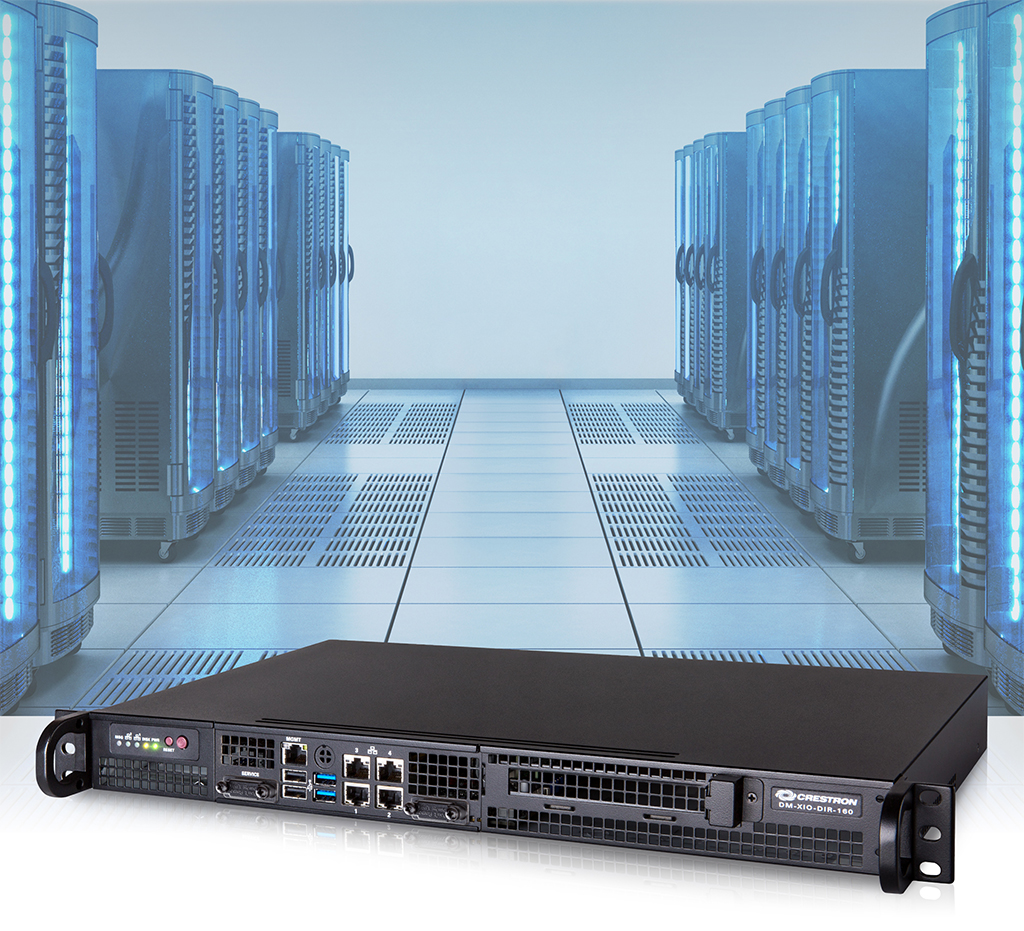
DM XiO Director is the new AV matrix developed by Crestron with which it is possible to configure, centrally manage and control the AV systems of the DMX NVX network.
This matrix, which can be seen in WHEREAS 2018, It is available in three models, depending on the number of DM NVX terminals. Software tool enables device discovery, domain configuration, terminal assignment, multicast management and network health monitoring. DM NVX Series is the industry's only secure solution that delivers 4K60 video, 4:4: 4 and HDR over standard Ethernet 1 Gb.
“Once DM NVX Network is installed, you have to route the video and manage the system. DM XiO Director makes it easy to configure large endpoint networks, name rooms, signal path monitoring and video data management over a standard IP network”, explica Rob Carter, Technology Manager de DigitalMedia.
Virtual DM Switch
DM XiO Director virtually emulates the functionality of a traditional hardware-based DigitalMedia matrix switch, routing 4K60 broadcast AV signals through a room, building or campus.
It is available in three models with support for devices with 80 terminals (DM-XIO-DIR-80), 160 (DM-XIO-DIR-160) or unlimited (DM-XIO-DIR-ENT).
DM XiO Director can manage a wide variety of applications: corporate, university students, government, military, medical, transport, sports, entertainment, hospitality, gaming or retail.
Configuration and management
DM XiO Director automatically detects DM NVX terminals on the network, assigning a domain to each of them using an easy-to-use user interface. A domain is simply a logical grouping of terminals that operate together as a single switching entity., allowing individual rooms and other subsystems to be organized and controlled independently. DM XiO Director eliminates the need for physical switches in each room, replacing them with the virtual equivalent running on the AV network.
DM XiO Director provides an intuitive web-based user interface for easy system configuration, signal transmission and complete AV network diagnosis. Each domain and endpoint can be designated with a user-friendly name.
Navigating the entire system is easy using the search box that allows you to quickly find domains and terminals, as well as entries and exits by name or address. A system overview screen is also provided, which displays the audio and video signal status for each input and output in a graphical layout that is easy to view and navigate.
Did you like this article?
Subscribe to our NEWSLETTER and you won't miss anything.
Related articles
 Audinate develops Dante Director for remote management of AVoIP networks
 Biamp VenuePolar 3 simplifies the design of Community IV6 speaker systems
 AtlasIED Atmosphere simplifies the installation and use of digital audio systems
 Crestron Flex MX Simplifies Connections in Meeting Rooms
 BrightSign announces its cloud management platform for digital signage networks at ISE
 Extron HC 403 Simplifies management of AV systems in meeting rooms
 VuWall TRx 2.0: Complete video management solution over standard IP networks
 Ryarc CampaignManager: management platform for scalable digital signage networks
 AMX simplifies technology management on university campuses with new collaboration and control systems
 WHEREAS 2014: Barix SoundScape, new generation for management of audio signals in IP networks in retail
 Synology simplifies the management and navigation of its video surveillance program Surveillance Station in its version 6.1
 Atresmedia selects Tecnocom to monitor its services and network management
 Cisco takes an important step towards unified and secure network management
 D-Link launches its new wireless controller for centrally managing Wireless N networks