





Ricoh develops a comprehensive management and collaboration solution for meeting rooms
Integrated Collaboration Cloud (RICC) includes a virtual assistant, 100% Spanish and with voice assistance artificial intelligence technology, to help users before, during and after the meeting.
The new solution Ricoh Integrated Collaboration Cloud (RICC) for the management of meeting rooms comprehensively covers the needs of users from the beginning and until the end of the meeting. It is an all-in-one system for the company's interactive whiteboards that includes a room reservation system and a booking platform. reporting.
RICC has been conceptualized from Spain for the entire world and includes a virtual voice assistant, developed entirely locally, that incorporates artificial intelligence technology (IA), which is activated at various times and allows voice recognition to perform an affirmative or negative action.
This solution offers the most in-demand functionalities currently in meetings, like smart booking via Outlook; remote communication with other attendees, devices and systems; Share and edit information from any device; surf the internet, as well as reports and usage analytics, all through interactive screens and Ricoh technology.
This development is part of the company's strategy to promote the digitalization of the workplace., based on collaboration and teamwork, to . improve efficiency in meetings and associated resources (spaces and technology), as well as the user experience.
“With the return to the office after the health crisis, Employees will combine face-to-face meetings with increasingly frequent remote ones. Before COVID-19, employees held an average of sixty meetings each month, which represents a 35% of your work day, a figure that rose to 50% in the case of managers. Time spent in meetings, only the 45% It is productive and the rest is used in logistical aspects and various disruptions”, explains Miquel Soler, IT Manager at Ricoh Spain and Portugal.
Another important issue that this manager highlights is that “normally, you lose the 90% of information shared in meetings. With RICC we respond to these problems that companies have today, focused on improving efficiency, meeting productivity and security, with a high-quality touchless user experience”.
Smart reservation
The comprehensive RICC solution includes an intelligent reservation system through plugin and Outlook. Just by selecting meeting participants, The system looks for the first time slot available for all attendees and the available rooms with the appropriate capacity according to the capacity.
It also allows you to filter room results based on associated features or services., for example if you have interactive whiteboards, parking plaza reservation or catering, inter alia.
Registration and start of the meeting
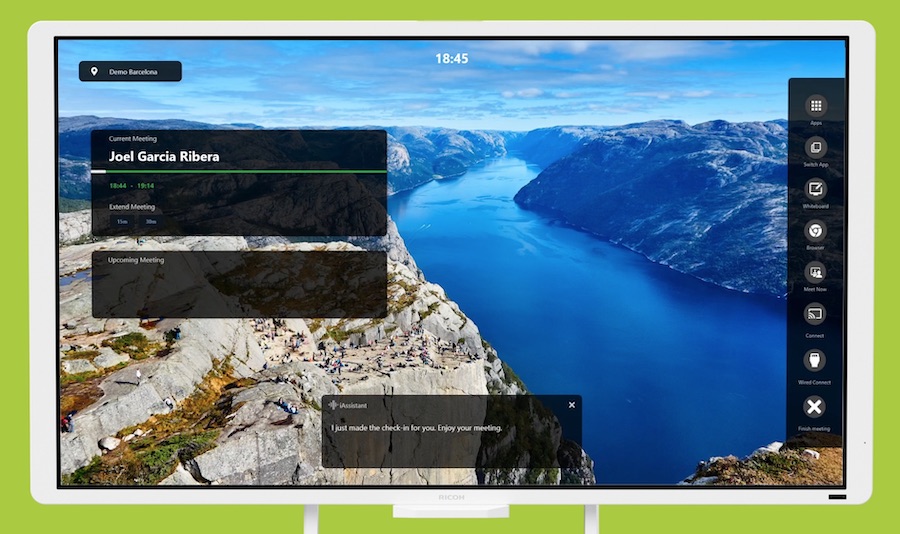
To start any meeting, The first step is to register in the room (checkin), which can be done in three ways: clicking on the interactive screen, by voice command through the virtual assistant and with the touch panel (room panel) installed outside each room, which includes information regarding reservations.
If you do not register in the first minutes of the meeting (depending on configuration), the room is automatically released so that it can be used by the rest of the interested employees, thus the solution optimizes the use of these workspaces.
At the start of the meeting, The virtual assistant checks all the parameters of the room technology to ensure that everything is ready and if, For example, detects that the speaker volume is low, it will ask users if they want to increase it. If you detect a problem that cannot be solved instantly, the assistant proactively sends an email to the Help Desk to report the incident.
One-click interoperable video conferencing
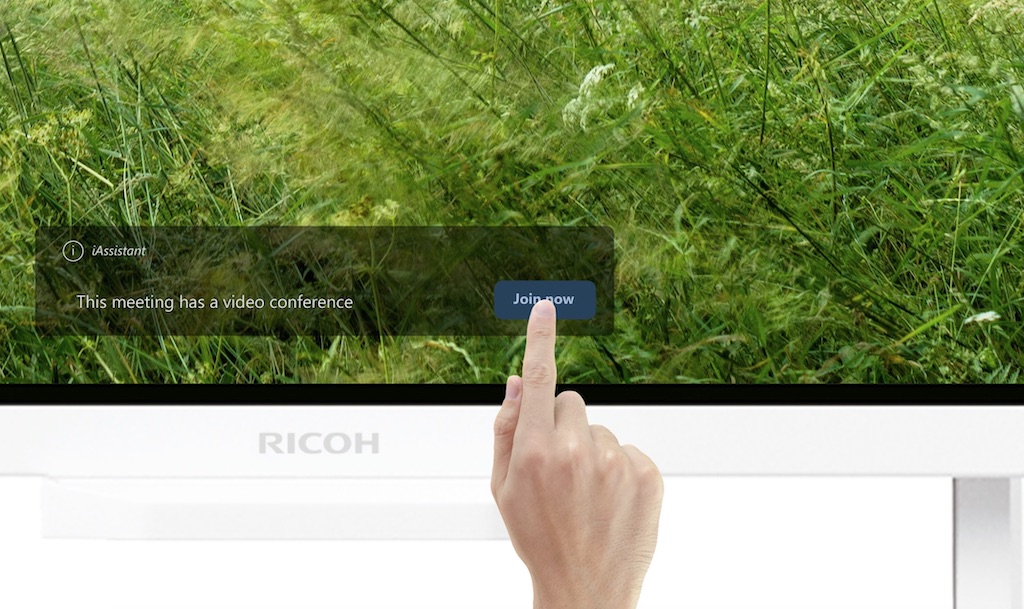
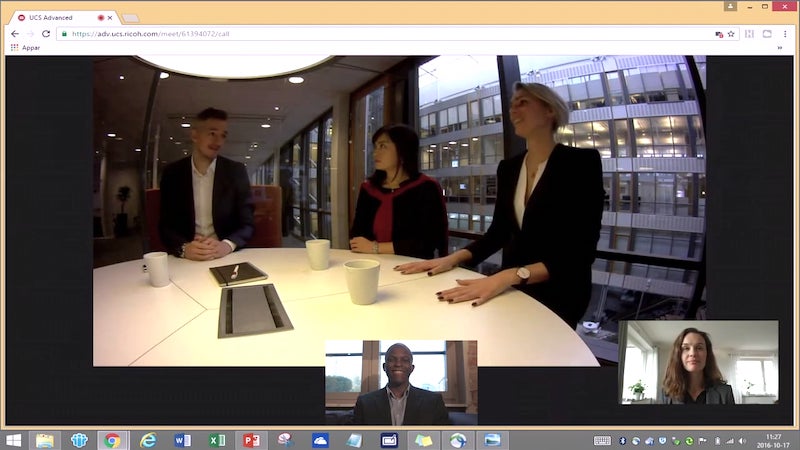
One of the differentiating and most valued points of Ricoh's new solution for rooms is the fact that it allows all meeting attendees to connect to any remote communication technology -UCS, Teams, Skype, etc.- with just one click, which avoids loss of time and inefficiencies for your start.
The connection is made through Ricoh interactive screens, thanks to the functionality Join now/One tap to join, that connects attendees directly to the video conference, regardless of the platform or technology chosen for the meeting.
Besides, All meeting attendees can share and project information on the interactive display wirelessly, from any device and without the need to perform any installation (There is also the option to connect with an HDMI or VGA cable.).
In fact, It is possible to connect more than ten devices to the same screen thanks to its multi-device vision. The fact that no cables or peripherals are necessary improves the usability and cleanliness of the system.
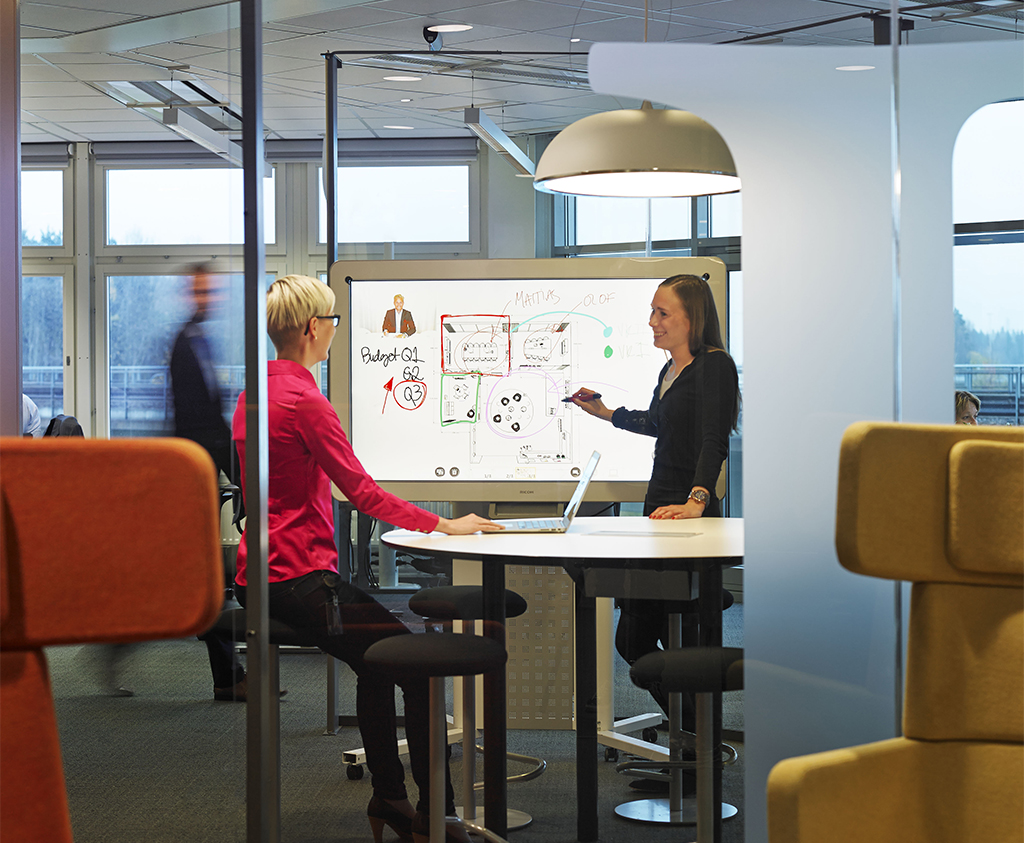
Through the functionality Touch back, Users can interact from the smart board itself with the content they share, editing it and working collaboratively.
Virtual assistant with AI
Throughout the meeting, the virtual assistant acts proactively, without the need to request, with the aim of helping users through voice commands and offering a safer and more efficient experience thanks to the functionality touchless.
Among other options, The virtual assistant reminds the user of the need to register for the meeting and gives the possibility of extending it if the room is free. At the end of the meeting, the system releases the room, close the video conference and clear the whiteboard data, with which the confidentiality and security of the information processed are assured.
The built-in AI engine interprets the speaker's intentions and learns to better adapt to the users' needs. This virtual assistant allows you to choose between a male or female voice, and languages (español, English, Italian, french and russian).
smart board: canvas
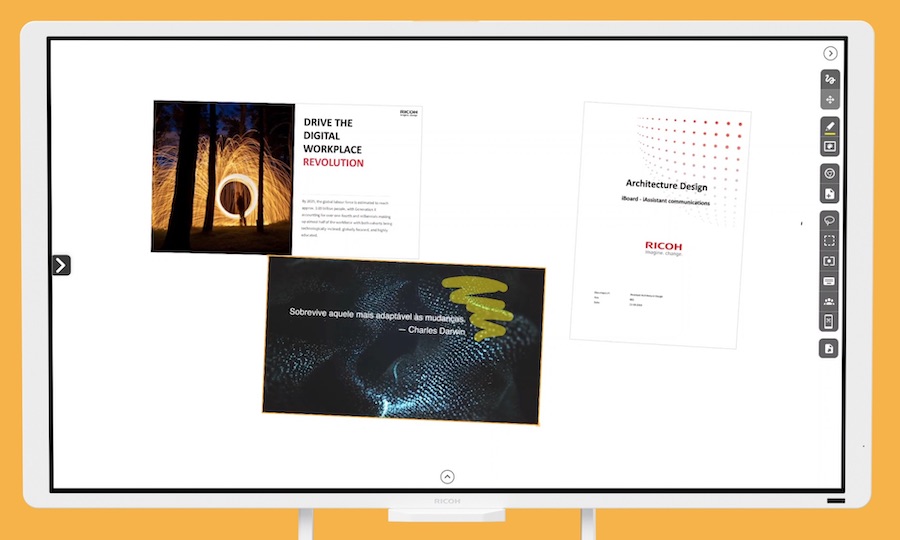
The RICC room solution includes other basic functionalities for any meeting. On the one hand, The smart board allows the user to connect to the current canvas session simultaneously, from any mobile device or other Ricoh whiteboard, to view and interact with the same content from any of the devices.
Besides, Ricoh interactive whiteboards are multitouch, open any Windows application 10 and type of file from the Office or video suite, on which you can make notes, edit and modify content. They also allow you to embed and move objects on the screen (a browser, file, etc.) and surf the Internet, which speeds up the search for content during the meeting and reinforces the possibilities of collaboration between all participants.
Once the meeting is over, information can be saved to a USB, on the OneDrive collaborative platform and send it via email. Besides, the solution carries out a satisfaction survey to the organizer at the end, and has a system of reporting what measures, inter alia, the use of videoconferencing and the level of room reservations.
Did you like this article?
Subscribe to our NEWSLETTER and you won't miss anything.
Related articles
 Ricoh joins Neat in global collaboration to transform meeting spaces
 SPC For Business Yealink MeetingBoard Pro: AIO solution for meeting rooms
 PFU Ricoh PJ UHL3660: 4K laser projection for meeting rooms
 ClearOne develops Unite 60 4K ePTZ for small meeting rooms and classrooms
 Crestron and Jabra offer smart video solution for small meeting rooms
 NEC unveils its wireless solution for presentations in classrooms and meeting rooms
 ImaginArt markets the Vaddio HuddleShot solution for small meeting rooms
 Polycom and Zoom join their technologies to promote collaboration in meeting rooms
Panasonic and Atlona join forces to offer a collaboration solution for meeting rooms
Crestron and Microsoft develop enterprise Skype solution for meeting rooms
Yealink VC120-12X: video conferencing solution for medium and large meeting rooms
Maverick markets Logitech's collaboration solution for meeting rooms
Polycom and Zoom join their technologies to promote collaboration in meeting rooms
Panasonic and Atlona join forces to offer a collaboration solution for meeting rooms
Crestron and Microsoft develop enterprise Skype solution for meeting rooms
Yealink VC120-12X: video conferencing solution for medium and large meeting rooms
Maverick markets Logitech's collaboration solution for meeting rooms
 Exterity develops a comprehensive digital signage solution for IP structures
 Microsoft Surface Hub: 4K collaboration display in 84 inches for meeting rooms and classroom