


Vivitek NovoStage: wireless collaboration on shared screens
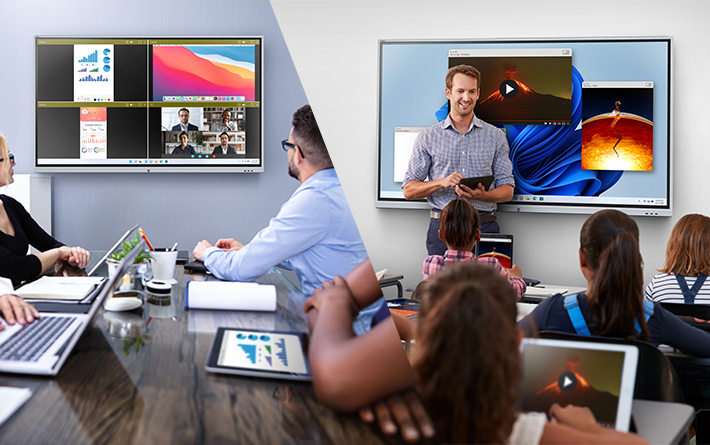
Con la herramienta Vivitek NovoStage es posible presentar en la pantalla principal múltiples contenidos simultáneamente. Es idónea para compartir información e ideas en reuniones, lecciones y sesiones de capacitación.
Vivitek NovoStage es una solución software de colaboración inalámbrica basada en Windows, que ha sido desarrollada para facilitar el uso compartido de las pantallas de varios dispositivos al mismo tiempo.
This tool, que permite presentar en la principal múltiples pantallas simultáneamente, es idónea para compartir información e ideas en reuniones, lecciones y sesiones de capacitación. Impulsa nuevos niveles de productividad y colaboración al combinar aplicaciones como Zoom y contenido de ordenadores con Windows e iPads.
Diseñada para ser compatible con contenido de iOS, MacOS, Android, Windows, Chromebook y Ubuntu, NovoStage transforma cualquier pantalla Windows en una solución de colaboración con una simple instalación de software.
Siguiendo un proceso simple de tres pasos (Instalar, Conectar, Mostrar), el software NovoStage se carga en la pantalla de Windows, que luego puede recibir contenido en una de cuatro formas; a través del software NovoConnect, Airplay, LauncherPlus o el portal web de Vivitek www.launchnovo.com.
Estos métodos de conexión permiten la máxima flexibilidad y comodidad para el usuario, sin necesidad de hardware ni cables adicionales. Al ser independiente de la plataforma y brindar soporte para todos los sistemas operativos, NovoStage facilita BYOD permitiendo a los usuarios conectarse instantáneamente y compartir hasta cuatro dispositivos y su contenido. Funciona con cualquier dispositivo basado en Windows 10, desde portátiles de todos los tamaños hasta pantallas de gran formato.
Los usuarios comerciales de NovoStage pueden utilizarlo para crear un entorno de reunión colaborativo con sus pantallas planas basadas en Windows. La gama actual de paneles táctiles colaborativos NovoTouch también se puede utilizar de forma inalámbrica mediante el entorno de Windows OPS (VKW30-i7).
Educational sector
NovoStage también es un gran activo para el sector educativo, ya que ha sido diseñado para ser compatible con software de gestión de aprendizaje como Google G-suite o Blackboard.
En los espacios de estudio, las escuelas y universidades pueden convertir cualquier área equipada con una pantalla y una ranura OPS en un espacio de estudio colaborativo.
En las aulas, junto con Windows OPS, puede hacer que las pantallas sean más interactivas al brindar a cada estudiante la oportunidad de participar en una discusión compartiendo su dispositivo.
Fuera del sector empresarial y educativo, quienes organizan y asisten a sesiones de formación y talleres también pueden beneficiarse de NovoStage. Los capacitadores pueden ‘llevarlo’ en sus equipos portátiles a un lugar de capacitación y permitir que los participantes se conecten.
NovoStage también hace que los talleres híbridos en vivo sean una realidad para todos. Se puede conectar una cámara en cualquier dispositivo y los participantes que comparten la pantalla pueden ver la cámara compartida.
Esta configuración es idónea para seminarios, talleres y demostraciones virtuales de productos en vivo e híbridos.
En todos los escenarios de usuario, el anfitrión de la reunión, el profesor o el formador retiene el control del moderador sobre el contenido que se muestra a través de NovoStage.
Security
Como NovoStage se instala en computadoras portátiles y se muestra dentro de un entorno de red, está protegido por la VPN y el firewall instalados por los equipos de TI.
Para obtener niveles adicionales de seguridad, los datos transmitidos se cifran mediante un estándar de cifrado avanzado (AES) con una clave de 256 bits. Esto significa que todos los datos compartidos están protegidos del personal no autorizado y los productos de Vivitek cumplen con la norma internacional ISO 27001.
Besides, dado que el uso compartido de enlaces es una preocupación para muchas empresas, NovoStage aborda esto a través de LauncherPlus de Vivitek, que permite a los invitados presentarse en una reunión virtual sin unirse a un enlace. Esto les mantiene fuera de la red corporativa, lo que garantiza la seguridad de la red incluso durante las reuniones virtuales.
Did you like this article?
Subscribe to our NEWSLETTER and you won't miss anything.
Related articles
 Sennheiser and Zoapi Innovations boost wireless collaboration
 Konftel and ScreenBeam integrate video conferencing and wireless collaboration
 WolfVision Expands Its Cynap Wireless Collaboration Line
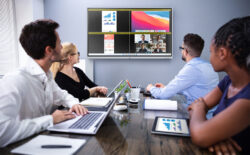 Vivitek NovoStage: software for wireless collaboration in Windows environments
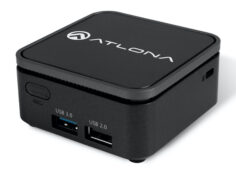 Atlona optimizes wireless collaboration and presentation with Wave-101
 Kramer strengthens its wireless collaboration area with the purchase of Wow Vision
 Biamp improves security in its Modena wireless collaboration systems
 Panasonic and WolfVision join forces on unified wireless collaboration solution
 Biamp HRT one: virtual controller for wireless collaboration
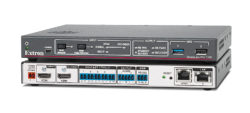 Extron ShareLink Pro 1000: smart wired and wireless collaboration
 Kramer VIA Campus Plus: Simultaneous wired and wireless collaboration and presentation
 WePresent remains committed to wireless collaboration with WiCS-2100
 Vivitek Q3 Plus: proyección inalámbrica portátil en superficies de gran formato
Caverin Optimizes Wireless Presentation and Collaboration with Kramer VIA Collage
Vivitek Q3 Plus: proyección inalámbrica portátil en superficies de gran formato
Caverin Optimizes Wireless Presentation and Collaboration with Kramer VIA Collage