


Extron AV Solutions Enhance Nursing School Learning at Lee University
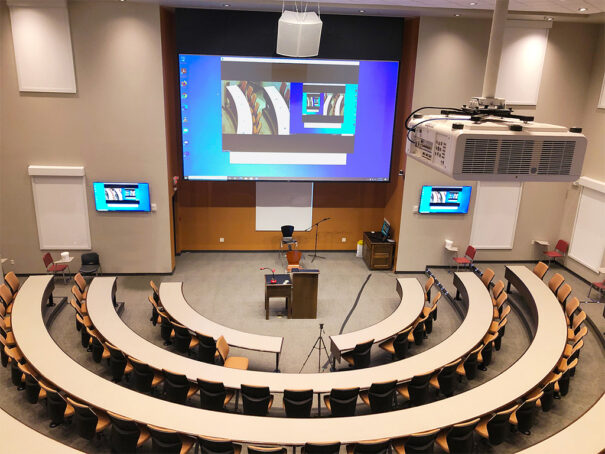
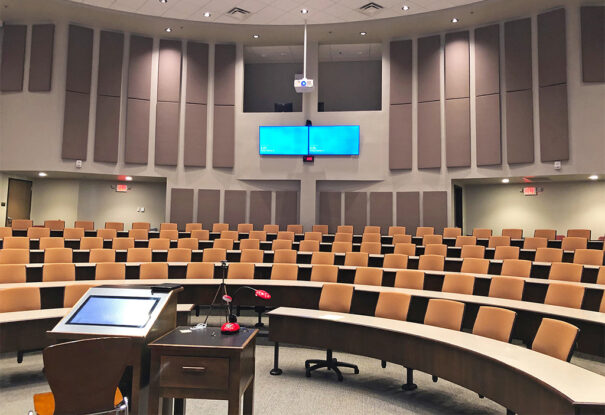
El aula de la escuela de enfermería, with capacity for 120 students, ha renovado sus instalaciones AV. Extron ha proporcionado el equipamiento de conmutación y distribución AV, control y streaming.
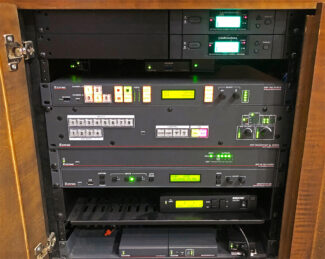 Para cumplir con los retos de la COVID19 y dar soporte al aprendizaje a distancia, se han utilizado las soluciones AV de Extron para compatibilizar las capacidades de streaming con el sistema audiovisual en la espaciosa aula de la Escuela de Enfermería de la Lee University.
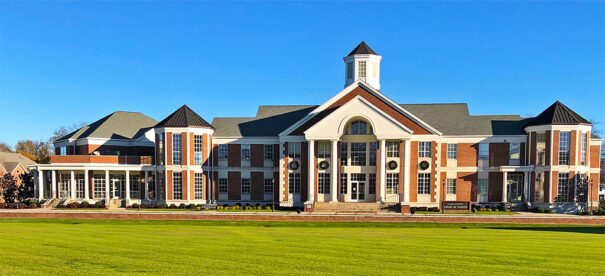
La Lee University es un centro docente cristiano de carácter privado que se encuentra en Cleveland (Tennessee). Se fundó en 1918 con doce estudiantes y un profesor con el nombre de Church of God Bible Training School. Hoy es una universidad a la que acuden más de 5.200 estudiantes y donde trabajan unos 350 instructores. Offers 57 especialidades, 159 programas de pregrado y 56 programas universitarios en Empresariales, Artes y Ciencias, Education, Music, Religión y Enfermería.
In 2016, la escuela de enfermería construyó un aula universitaria espaciosa con un techo elevadísimo y escritorios con asientos situados de forma escalonada para más de 120 students. Esta se equipó con servicios audiovisuales apropiados para un espacio tan grande y para dar respuesta a los retos de la COVID19 y dar soporte al aprendizaje a distancia, se mejoró con capacidades para el streaming AV.
Las instalaciones albergaron grandes reuniones para conferencias sobre temas que cubrían procedimientos en enfermería, biología y ciencias biológicas.
 El diseño e instalación del sistema AV fue un esfuerzo conjunto entre el gerente del laboratorio de tecnología informática de la Lee University, Mark Long, y la firma de integración de AV profesional Encore Broadcast Solutions.
El equipo de Encore fue liderado por Glenn Bradley, gestor de ventas de la oficina Bridgeport en Alabama. Extron proporcionó el equipamiento de conmutación y distribución AV, control y streaming para el proyecto.
En la parte frontal de la sala se encuentra una pantalla de proyección de 275 inches, flanqueada por dos dispositivos de visualización de pantalla plana de 65″.
En la pared trasera hay dos monitores de referencia de pantalla plana de 65 inches. Presentadores y miembros de la audiencia utilizan los micrófonos RF inalámbricos de mano. Los componentes del sistema AV se alojan en el podio del presentador y el escritorio del operador.
Los profesores pueden cargar el material de la presentación en el ordenador del escritorio del operador AV o llevar un ordenador portátil con el material.
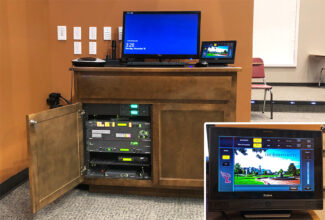 En una caja de acceso a cables Cable Cubby 202, situada en el escritorio del operador AV, hay disponibles conexiones para cables de alimentación, HDMI, DisplayPort y USB-C, y en el podio se encuentra una pantalla táctil TouchLink Pro TLP Pro 320C en Cable Cubby.
Una cámara de documentos, situada en el podio permite mostrar los materiales impresos. Los profesores pueden anotar sus presentaciones tocando, escribiendo y dibujando en la pantalla táctil. Esta se conecta a un procesador de anotación Annotator 300, localizado en el escritorio del operador AV, a través de transmisores y receptores USB Extender Plus.
El equipamiento que forma la espina dorsal del sistema AV del aula universitaria se encuentra en el escritorio del operador AV.
El componente principal es una matriz de conmutación con escalador para presentaciones DTP CrossPoint 84 4K. Lleva a cabo la conmutación de la señal AV y escalado de vídeo para entregar contenido de vídeo a los cinco dispositivos de visualización de la sala.
Las fuentes de contenido AV disponibles incluyen el ordenador del escritorio del operador, un ordenador portátil en el podio, el Annotator 300, cámaras PTZ en la pared delantera y trasera, y audio analógico desde el mezclador del escritorio del operador.
El contenido AV se selecciona utilizando una pantalla táctil TouchLink Pro TLP Pro 1022T of 10 pulgadas situada en el escritorio del operador, o la pantalla táctil abatible de 3,5″ TLP Pro 320C del podio.
Las dos pantallas táctiles funcionan con el procesador de control integrado en la matriz de conmutación DTP para controlar todas las funciones del sistema.
Opciones de audio y vídeo
Los altavoces de la sala funcionan gracias al amplificador de 100 W integrado en la matriz. Múltiples micrófonos inalámbricos están disponibles para el instructor(es) y para la participación de los estudiantes.
La mayoría de instructores prefieren el micrófono colgante VoiceLift Pro a la hora de presentar porque es muy fácil de utilizar. Este se enciende automáticamente cuando se levanta de la estación de carga.
El contenido se muestra en la pantalla de proyección principal y los dos de dispositivos de visualización de pantalla plana. El proyector de vídeo se conecta directamente desde la matriz de conmutación a la entrada HDBaseT del proyector.
Los dispositivos de visualización de pantalla plana reciben HDMI por cable de par trenzado blindado a través de un amplificador de distribución DTP HD DA4 4K y receptores DTP HDMI 4K 230 Rx.
Captura y streaming
El contenido AV también puede enrutarse al procesador multimedia de streaming SMP 351 para su grabación y streaming en directo o a la carta para los estudiantes a distancia.
El contenido enviado por streaming se entrega a través de un códec de hardware o de una plataforma de comunicaciones unificadas, como Zoom o Teams.
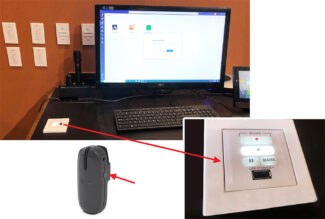
El SMP 351 está equipado con un panel de control remoto RCP 101 EU en el escritorio del operador, proporcionando botones de inicio, parada, pausa y marcado.
Este panel incluye un puerto USB en el que los usuarios pueden insertar una tarjeta de memoria para ‘capturar y llevarse’ las clases.
Los instructores también aprecian que ellos mismos pueden iniciar, parar y pausar la captura de la clase del SMP 351, pulsando un botón en su micrófono colgante VoiceLift Pro.
El aula universitaria reabrió sus puertas a los estudiantes y la facultad en la primavera de 2021. Son unas instalaciones populares, siempre muy solicitadas.
El gerente del laboratorio de tecnología informática de la Lee University, Mark Mong, nos informa de que los sistemas AV del aula funcionan sin ningún problema. Mark menciona que, con su experiencia en programación y codificación, está totalmente impresionado con la manera en la que las herramientas de software Global Configurator Pro y GUI Designer de Extron, con tan solo arrastrar y soltar, han contribuido a que la configuración del sistema de control AV haya sido tan directa.
“Las herramientas de configuración del controlador de Extron son fáciles de entender. Te permiten trabajar directamente. Para esta instalación, yo creé el flujo lógico de control y la jerarquía de la pantalla de la interfaz de usuario, y Encore llevó a cabo la configuración y creación de la GUI utilizando las herramientas de Extron”.
Did you like this article?
Subscribe to our NEWSLETTER and you won't miss anything.
Related articles
 Extron promotes learning and collaboration with AV at the Pontificia Universidad Javeriana
 Extron impulsa el aprendizaje en el nuevo West Quad de Kenyon College
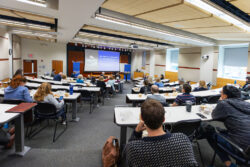 Duke Law School Enhances Learning with Extron NAV AVoIP
 Extron Quantum Ultra transforms content into collaborative learning
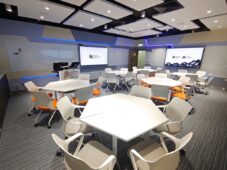 Extron turns a classroom into an AV learning lab
 Genelec Seamless Audio Solutions Improve Unity Acoustics
 Extron Turns Hill Library into Reference Center for Learning
 Extron Provides AV Over IP Control for Hybrid Learning at UNCW
 Extron NAV helps in training simulation for nursing students
 Nureva audio conferencing systems improve remote learning for students
 Genelec sound boosts learning at Finnish school
 Promethean multi-touch monitors improve learning in educational centers in Murcia
 Supernova STS screen optimizes learning in a Danish school
Sanyu School Creates a Safer Learning Environment with Vivotek Video Surveillance Solutions
Supernova STS screen optimizes learning in a Danish school
Sanyu School Creates a Safer Learning Environment with Vivotek Video Surveillance Solutions