


Airtame Share to Call: hybrid video conferencing with screen sharing

La nueva función Share to Call de Airtame, disponible a través de su plataforma de conferencias híbridas, facilita a los participantes presenciales en la sala compartir sus pantallas durante reuniones virtuales.
Como parte de su compromiso para una colaboración sin fisuras in business and educational environments, Airtame ha desarrollado la nueva función Share to Call, que resuelve uno de los mayores puntos conflictivos experimentados en las hybrid meetings.
Share to Call permite a cualquier persona en la sala de reuniones compartir instantáneamente su pantalla en una llamada de Zoom o Microsoft Teams sin la molestia de unirse a la llamada desde su dispositivo personal (en la que tienen que silenciar su micrófono y altavoz, apagar su cámara y luego empezar a compartir).
“Tener que unirse a una llamada con su propio dispositivo sólo para compartir su pantalla – a pesar de que está en la sala en la que ya se está celebrando una reunión – es una molestia importante que la industria ha adoptado y todavía tiene que cambiar de una manera que sea realmente fácil e intuitiva para el usuario final”, states Susan Lund, Airtame CEO.
Con la nueva función Share to Call “cualquier participante de la reunión dentro de la sala puede compartir contenido al instante, en lugar de tener que pasar por el proceso innecesario de iniciar sesión para compartir pantalla. Esta nueva característica hace que las reuniones híbridas sean realmente equitativas para todos”, subraya Lund.
Besides, Share to Call elimina la retroalimentación de audio cuando los participantes olvidan silenciar su sistema antes de unirse a una llamada para compartir. Also ahorra batería, ya que el ordenador del usuario no tiene que utilizar sus recursos para ejecutar una conferencia, as well as ancho de banda en la red local, ya que aquellos que están en la sala no tienen que cargar todo el contenido de la llamada en sus dispositivos.
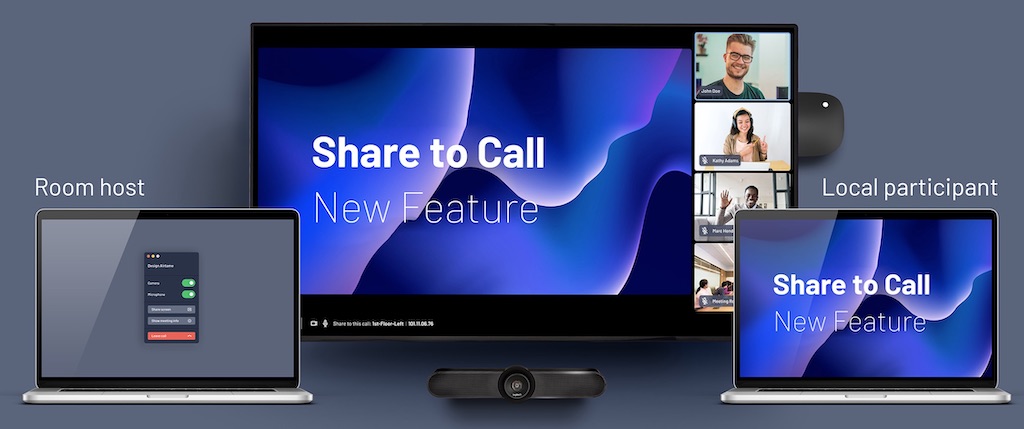
Con esta función, users can compartir su pantalla en tres modalidades: como anfitrión de la sala que inició la llamada, como participante local en la misma sala y como participante remoto.
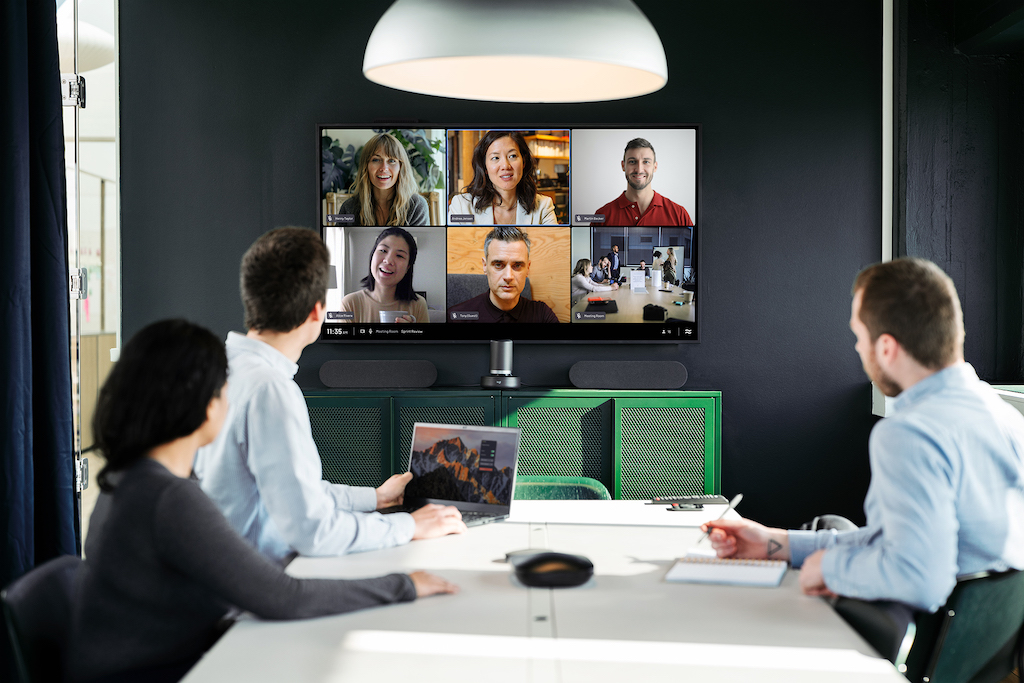
El proceso es sencillo: un participante en la reunión inicia la llamada como anfitrión de la sala utilizando Airtame Hub. Next, un segundo usuario en el espacio de reunión puede arrancar la aplicación de esta compañía, seleccionar la sala/dispositivo y hacer clic en compartir pantalla.
Tras ello, un código pin intuitivo aparece entonces en la pantalla para verificar que el usuario se encuentra en la sala y tiene permiso para compartir. Este puede seleccionar si lo hace con toda su pantalla o con una ventana específica, lo que garantiza que no se compartan notificaciones o contenido no deseado en la llamada.
Una vez compartida, la pantalla del usuario es visible tanto localmente en la sala de reuniones como para los participantes remotos que utilicen Microsoft Teams o Zoom. In the first case, es posible compartir la pantalla a través de la aplicación de escritorio Airtame, que será compatible con Miracast, AirPlay y Google Cast en un futuro próximo.
Share to Call ya está disponible en la oferta Airtame Hybrid, siempre que el firmware del dispositivo se actualice a la version 5.2 y la mencionada aplicación de la compañía a la version 4.6.3.
Airtame Rooms, el componente de software que se ejecuta en Airtame Hub, se integra con múltiples servicios para aportar mayor flexibilidad y facilidad, así como la mejor experiencia para compartir pantallas, señalización digital y conferencias híbridas without interruptions.
Did you like this article?
Subscribe to our NEWSLETTER and you won't miss anything.
Related articles
 The Airtame platform integrates with Amazon Signage Stick
 Ecler simplifica con VEO-SWC45 el uso compartido de pantalla
 PPDS offers wireless content sharing with Philips ScreenShare
 GZA simplifies and standardizes hybrid meetings with Airtame
 Airtame y Jabra marcan el futuro de la colaboración en la industria AV
 Airtame and AVer advocate cross-platform wireless solutions
 Airtame democratizes screen sharing in meeting rooms
 Airtame and Sennheiser provide greater flexibility in collaboration environments
 Airtame to unveil the future of hybrid conferencing at InfoComm
 Airtame brings collaboration and digital signage to the educational environment
 ViewSonic ViewBoard 62: 4K interactive displays for video conferencing
 BenQ joins Zoom to offer certified video conferencing displays
 Lifesize Simplifies the Meeting Room Experience with its Share Platform
 Vogel’s PFF 5211, mounting solution for single or dual video conferencing screens