





Sharp NEC expands its display offering for educational environments with the LC series
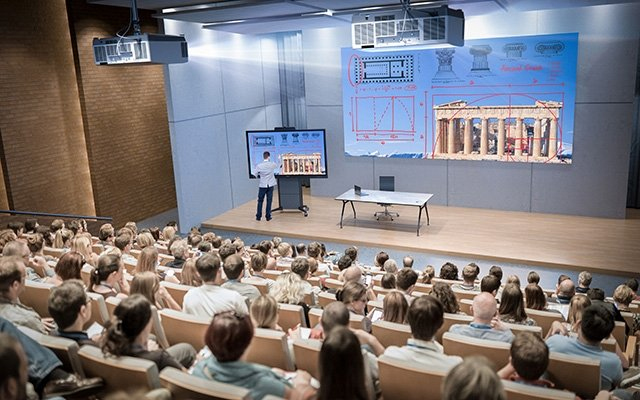
This new all-in-one line of Sharp NEC Display Solutions Europe It is available in formats 65, 75 y 86 inches. Screens that incorporate a series of pre-installed functionalities to encourage collaboration.
Sharp NEC Display Solutions Europe has presented the new collaboration screens serie LC, that incorporate infrared touch technology and are offered in three formats: 65, 75 y 86 inches.
This all-in-one display solution features pre-installed functionality and next-generation connectivity for interactivity snapshot, making it ideal for use in higher education environments at universities or training facilities in corporate offices.
Sharp LC Series entry-level collaboration models are plug and play solutions that support Byom scenarios (Bring Your Own Meeting). You only need one cable to connect displays to external devices via USB-C.
With the possibility of additional HDMI output, Users can link LC models to projectors (For example, in an auditorium) and forward content to external sources if the screen size does not accommodate larger audiences.
The Sharp LC series offers the ability to customize the home screen and, therefore, easily access applications. Besides, Entries can be renamed for better recognition when changing sources.
The screens also come with pre-installed applications such as the eShare to share content wirelessly between devices and participants. Combined with different integrated tools and a natural writing experience on the touch screen, These features promote interactive sessions in learning environments.
“Sharp's LC Series is designed to drive engagement in university classrooms or corporate training sessions”, explains Ralph Kolen, product manager de Sharp NEC Display Solutions Europe. ““We have ensured that LC collaboration displays are equipped with smart functionalities that make them very easy to use.”.
If required, The screen can be expanded with an OPS-PC to improve computing power or eliminate the need for your own personal device. Besides, can be configured and managed remotely via NaViSet Administrator.
Did you like this article?
Subscribe to our NEWSLETTER and you won't miss anything.
Related articles
 Sharp LB3: interactive displays for collaboration environments and tactile signage
 Sharp expands its offering of professional laser projectors for intensive use
 Planar expands its offer of screens for Led CarbonLight
 ViewSonic expands its educational offering with ViewBoard Series displays 50-5
 Sharp PN-L2B: 4K interactive displays for demanding environments
 Panasonic expands its offering of professional 4K LCD displays with the EQ2 series
 Sharp NEC expands its C series with two 75 y 86″ for digital signage
 Planar expands its offer of fine pitch LED screens with the MGP series
 Christie expands its range of business LCD displays, retail and critical environments
 Acer expands its line of laser projectors for large spaces and educational environments
 Sharp expands its offering for digital signage with PN-UH LCD screens
 AG Neovo expands its RX displays with two models for critical environments
 Hitachi serie 5000: installation projectors for commercial and educational environments
Macroservice expands its offering of Adder KVM extenders and switches for Pro-AV environments
Hitachi serie 5000: installation projectors for commercial and educational environments
Macroservice expands its offering of Adder KVM extenders and switches for Pro-AV environments