


DiGiCo updates software for Quantum and SD-Range consoles
The version 20 de este software de DiGiCo incluye la integración de la superficie de trabajo con dispositivos de audio Fourier, la incorporación de un nuevo expansor de fuente Mustard y una extensión opcional de software de teatro para la consola Quantum225.
Las consolas de mezclas de DiGiCo han sido elogiadas durante mucho tiempo por diversas razones, como su sonido, su manejo intuitivo y su fiabilidad. Quizás menos obvio, pero igualmente importante, es el hecho de que la compañía diseña sus productos teniendo en cuenta la capacidad de actualización y la longevidad, un punto que queda demostrado con el nuevo lanzamiento de la version 20 del software para todas las consolas Quantum y SD-Range.
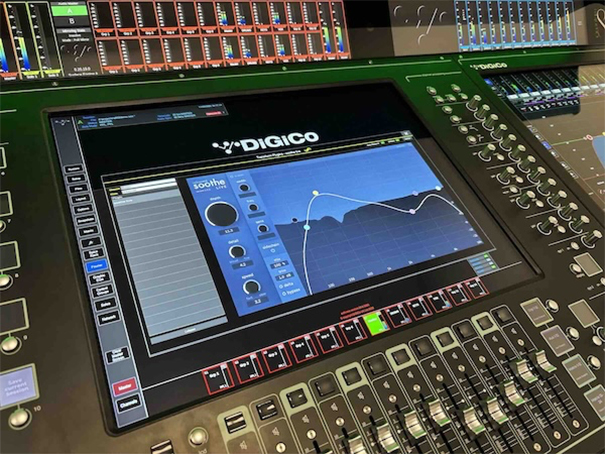
La nueva actualización del software V20 incorpora numerosas funciones nuevas e invaluables, entre las que destaca la integración directa de audio Fourier para todas las superficies de trabajo de las consolas Quantum. Los usuarios pueden simplemente conectar su escritorio a la red de control de transform.engine para sincronizar archivos de sesión e instantáneas, así como para ver y controlar plugins en la pantalla táctil de su consola.
Al activar un canal con una cadena de Fourier insertada, la cadena de plugins se muestra en la pantalla principal de la consola. Todo el procesamiento visual se realiza dentro de transform.engine, sin consumir potencia de procesamiento de la consola. Desde este panel, ahora se pueden controlar los parámetros mediante la pantalla táctil y el dial táctil giratorio, función habilitada por el fabricante del plugin.
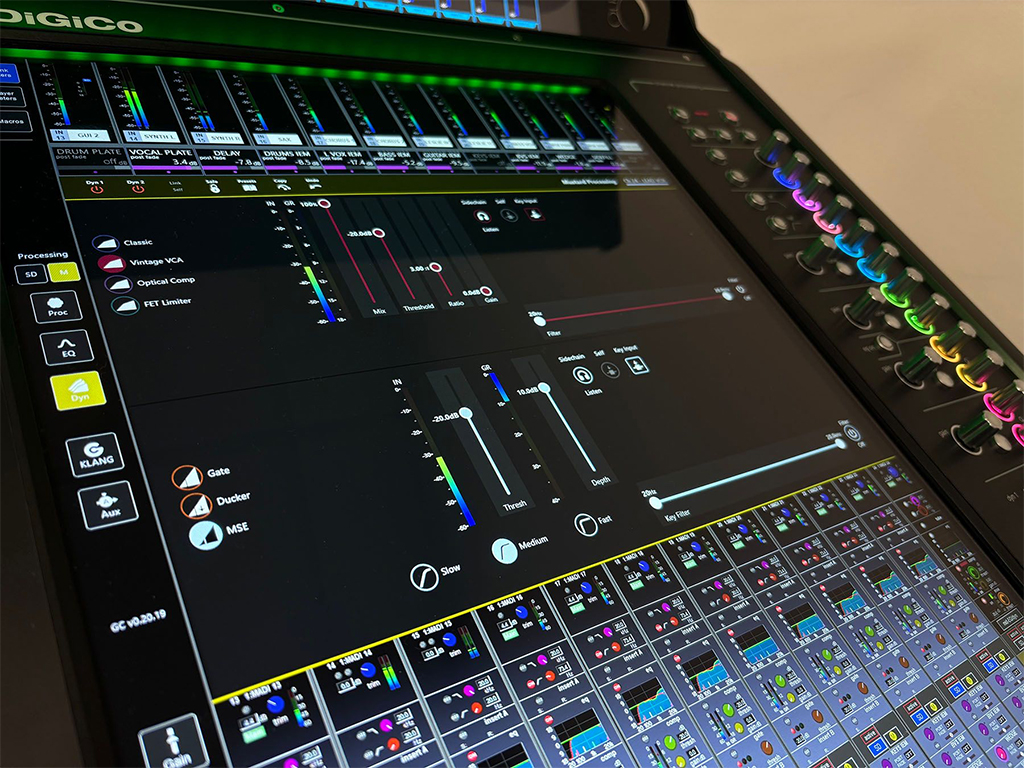
También existe una opción para controlar sesiones e instantáneas (conocida como ‘Lista de Cuelist’) in transform.engine. Cuando está habilitada, al cargar una sesión en la consola se cargará la sesión del mismo nombre en el dispositivo de Fourier. Besides, transform.engine puede seguir comandos, incluyendo guardar una sesión. En cuanto a las instantáneas, la inserción, el disparo, la actualización, el estado de actualización automática de las instantáneas, la eliminación y la reordenación se copian al motor, lo que garantiza que se mantengan sincronizadas con la consola.
En la versión 20, DiGiCo ha añadido compatibilidad con transmisores de dispositivos de sonido. Con el nuevo dispositivo de control externo Astral, se pueden programar macros para que se activen directamente desde el transmisor al utilizar los receptores A20-Nexus y A20-SuperNexus. Posibles usos para este control podrían ser un simple pulsar para hablar, reactivar una señal independiente para un director en una transmisión o permitir que un vocalista active o desactive un envío de efectos específico para su micrófono durante una actuación.
Expansor de fuente Mustard (MSE)
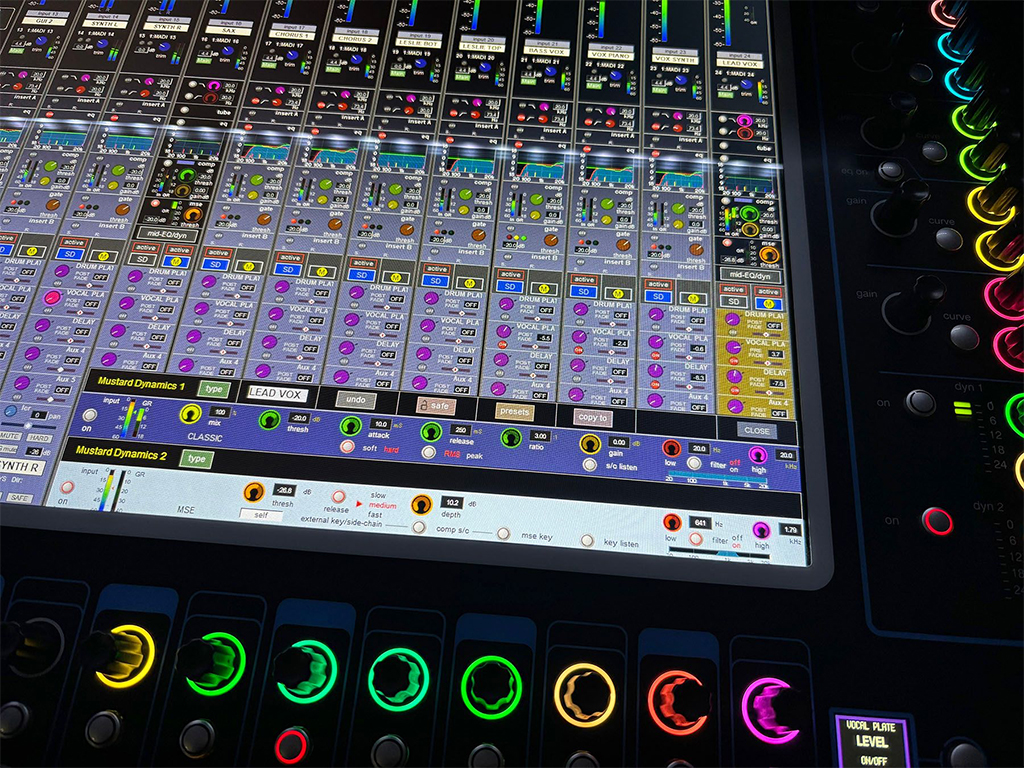
La v20 también incorpora el Expansor de fuente Mustard (MSE), una nueva opción de dinámica para las tiras de procesamiento Mustard de las consolas Quantum. Esta reduce el nivel de una señal en una cantidad determinada cuando está por debajo de un umbral. Funciona de forma similar a una puerta, pero es más adecuado para señales no transitorias, como voces o instrumentos de viento metal.
Al reducir el nivel cuando un cantante deja de cantar, el MSE minimiza la posibilidad de realimentación y, in general, reduce el nivel de ruido del escenario que se transmite a los micrófonos abiertos. Sus controles incluyen umbral, profundidad (que puede alcanzar los 40 dB) y tasa de liberación. También dispone de sidechain.
El software V20 también es una actualización necesaria para integrar el paquete de software Theatre opcional de DiGiCo en la consola Quantum más compacta de la compañía, la Quantum225, adecuada para salas y producciones teatrales de tamaño pequeño a mediano.
El paquete ‘T’ modifica el funcionamiento de las listas de referencia de la consola, diseñado específicamente para aplicaciones teatrales, y permite gestionar los cambios de elenco y vestuario mediante reproductores y alias. La actualización al software Theatre en una Quantum225 ofrece el mismo número de canales y procesamiento adicionales que la actualización Pulse de la compañía, con 96 canales de entrada, 48 buses, 36 procesos Mustard y 48 procesos nodales. También amplía la matriz incluso más allá del número de pulsos, aumentando a 24 in 24.
“Cuando alguien invierte en una consola DiGiCo, lo hace con la certeza de que su producto será una solución duradera, no algo que se quedará obsoleto rápidamente y necesitará ser reemplazado en tan solo unos años”, states Austin Freshwater, director general de DiGiCo. “Dado que siempre buscamos el DSP más rápido y potente de la industria, la respuesta reside en actualizaciones de software que aumentan el número de canales, optimizan la eficiencia del procesamiento e incorporan nuevas funciones y características. Con nuestro nuevo software V20, incluso los usuarios de SD7 y SD8 que hayan tenido sus consolas durante más de 15 años pueden seguir disfrutando de los nuevos avances que mantendrán sus producciones a la vanguardia.”
Características adicionales de la versión V20:
- Al mover una banda del ecualizador en el Quantum852 a través del canal físico, se seleccionará esa banda en el canal principal.
- La máscara de subred ahora se muestra en Diagnósticos.
- Aparecerá un mensaje de confirmación al borrar un banco del panel de bancos de faders.
- Se han corregido varios errores de la versión anterior del software.
Did you like this article?
Subscribe to our NEWSLETTER and you won't miss anything.
Related articles
 Wharfedale Pro updates DSP Controller software for its DP-F and N amplifiers
 Solid State Logic actualiza su software para las consolas SSL Live
 DiGiCo announces version V1742 for its SD and Quantum consoles
 DiGiCo facilita el acceso de sus consolas al ecosistema Dante
 Equipson updates software for LightShark DMX lighting consoles
 Las consolas DiGiCo ayudan a modernizar el Boston College
 Equipson updates the software of its LightShark lighting consoles
 El Palacio Estatal del Kremlin se actualiza con las consolas DiGiCo
 Optocore actualiza sus interfaces MADI de la serie M para las consolas DiGiCo
 DiGiCo shows the possibilities of Mustard for Quantum 7 en ProLight+Sound 2019
 SSL suma potencia y prestaciones en la versión V3 del software para sus consolas Live
 OS Software 3.0, ya disponible para todas las consolas de la gama Hog 4
 Disponible el software para las consolas digitales Yamaha CL y QL y la app StageMix
 Midas lanza el software ‘Generation-II’ para todas sus consolas digitales