





Clear-Com brings greater robustness to its HelixNet and LQ platforms in the version 4.2
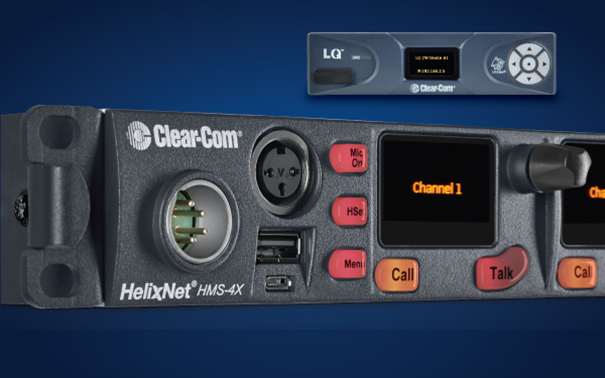
The version 4.2 of Clear-Com HelixNet and LQ offer greater simplicity in configuring and controlling intercom and audio infrastructures.
Clear-Com has made new updates to its Helixnet intercom platform and LQ series of IP interfaces taking into account user feedback.. The objective was to optimize the product offering, offering improvements on both platforms.
HelixNet firmware version 4.2 adds visual communication, two-way radio capability and a powerful set of new features for administrators looking to tailor intercom stations to specific user workflows.
LQ IP interfaces have the ability to connect to any type and brand of intercom or audio device over IP, and the new update 4.2 adds the ability to save and restore LQ drive settings.
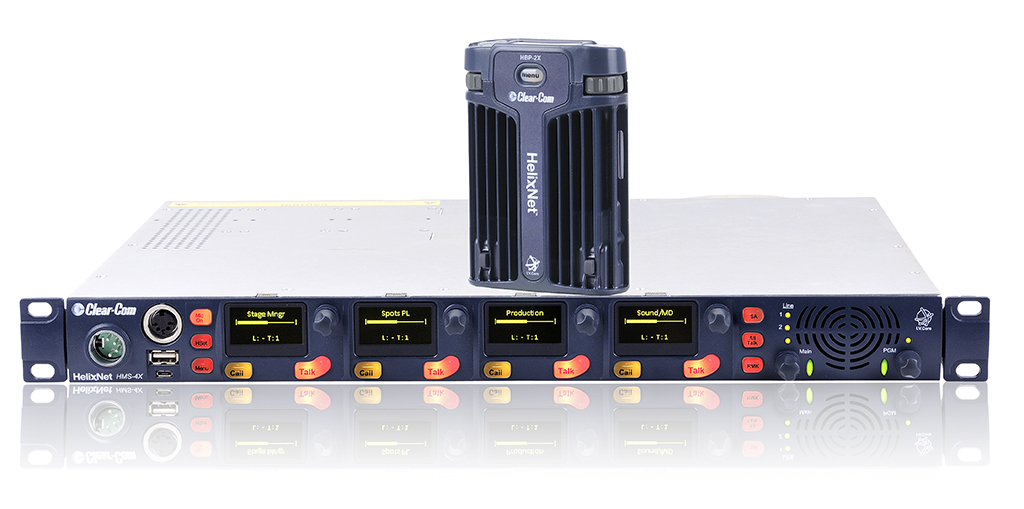
HelixNet 4.2
The new functions that have been added in HelixNet 4.2 include a ” In-Use-Tally” to visually indicate chat activity on individual channels. This allows you to correlate what you hear on your intercom station with the individual channels, while providing a visual cue to those who have removed their headphones or may not be listening.
Improved administrative functions allow you to adapt a HelixNet intercom station to your user and environment. Also included is the ability to set minimum and maximum volume controls, disable channel mute controls, configure speaker operation and permanently set the headphones toggle key and new HKB change page operation modes.
With these new features, HelixNet intercom stations can be configured to allow an advanced user full control of the system, while restricting themselves if necessary.
With the update 4.2, the operation of the intercom stations is facilitated 2 ways by allowing the radio key to be selectively given to a user through the new 'Secondary Talk Action' feature, allowing individual talk keys to initiate a visual 'Call' signal or an LQ 'Network Control Event'. Call and control events can be assigned to a GPO port to interact with radios. 2 ways, allowing selective users to talk to one or more radios 2 tracks at the touch of a button.
Finally, the new option “Interlock Talk Group” HelixNet allows you to ensure that a user only talks to one channel at a time.
LQ 4.2
In the version 4.2, LQ users can save their configuration settings to a file on the computer they use to manage their audio network. A pre-saved configuration can be reloaded to the LQ device at any time, so if the device is being used for multiple shows or system setups, each respective configuration can be saved and pre-loaded.
With this update, LQ can now support eight Agent-IC clients, as well as up to eight Station-IC clients (the version 1.1. of Station-IC for LQ is expected in the summer of 2021), which brings the total number of supported virtual clients to 16.
LQ's dynamic capabilities and processing platform enable multiple tasks to be performed simultaneously. With the addition of a new resource calculator, Users can check that their LQ device is performing at its optimal level, helping administrators apply LQ functionality to an audio network and, therefore, helping to determine what connections can be made to maximize device usage.
Did you like this article?
Subscribe to our NEWSLETTER and you won't miss anything.
Related articles
 The new HelixNet beltpack from 4 channels will star in Clear-Com's presence at ISE 2026
 Clear-Com doubles HelixNet pack capacity and introduces streamlined UI
 Allen & Heath brings greater control to its CQ series mixers
 Crestron Control expands its operation to more CU platforms
 Sonos In-Ceiling de 8″ provides greater performance in architectural speakers
 Clear-Com integra HelixNet en Arcadia Central Station
 Clear-Com brings intercom to iconic Elgin Theater & Winter Garden
 The largest urban digital art exhibition will be displayed on Clear Channel screens
 Clear-Com Brings Digital, Wireless Intercom to Seongnam Arts Center
 Trison brings an AV and interactive experience to Pull's largest store&Bear in Spain
 Dataton updates Watchout in its version 5.5 with greater support for multimedia and 3D files
 ICT platforms are uploaded to the cloud
 Greater web integration with the new version of SMART Notebook software
 Panasonic PT-D5000: robustness and reliability