


Biamp exhibits its Modena MAX Connect 'byom' room solution at InfoComm
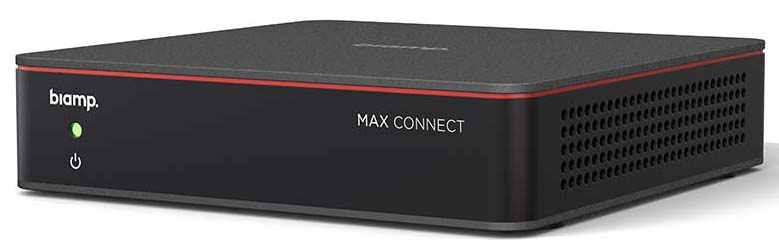
In his participation in Orlando, Biamp shows its first complete solution for 'byom' rooms: Modena MAX Connect, allowing users to enter any room with all types of devices and connect to the meeting instantly and on all UC platforms.
As explained from Biamp, the solution Modena MAX Connect offers the same comprehensive experience that users enjoy in conference rooms dedicated to unified communications, now in collaboration spaces byom, with a connection and experience of seamless collaboration.
In this last aspect, MAX Connect offers everything from connecting to a meeting, until sharing content, add remote participants or control room AV, providing the same experience for all meeting participants, in addition to facilitating management and deployment by the IT department.
“When it comes to conferencing and collaboration, Users just want to connect and get to work. CU rooms have set the standard for what this experience should look and feel like., and there has not been a good alternative for the experiences byom, until now - he says Joe Andrulis, vp. Biamp corporate development executive. “MAX Connect is the first solution of its kind to offer this.”.
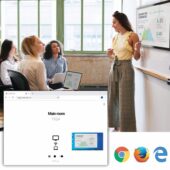
In addition to the conferences byom, MAX Connect also enhances the collaboration experience in these spaces “with powerful functionality through a new MAX app.”, which includes a virtual whiteboard and the ability to share up to six screens at once, truly offering the most in terms of connection and collaboration”, subraya Andrulix.
MAX Connect receives content from phones, tablets and PCs via cwireless or wired connections and pairs with a flat monitor screen, that welcomes you with connection information for attendees, and with any other AV peripherals in the room, like microphones, cameras and speakers.
The user interface of this Biamp solution, brand that sells in Spain AVIT Vision, also includes a panel that displays information about the meeting, the time, connection options, time and other important content for attendees.
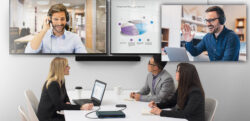
To begin configuration byom, Users simply enter the meeting room and connect via the app or web browser. Once connected, can do streaming video calls from your own computer directly to the peripherals installed in the meeting room; share, View or annotate any content from your device, including presentations, websites, spreadsheets, photos and videos; or draw and write on a shared whiteboard.
In addition to viewing content from the room screen, all participants can also view a copy of the shared one on their own personal device, making it easy to zoom in or focus on something of interest.
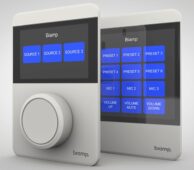
The MAX Connect collaboration experience can be controlled using an included remote control or the new tablet Biamp Apprimo Touch 8 MAX, based on Apprimo Touch 8i and personalized for the MAX Connect experience byom, since it is pre-programmed and works from the first moment to control the volume and functions of the camera, as well as the content and layout of the room screen.
This tablet, powered by PoE, includes PIR sensors that turn on the screen automatically and allow you to adjust its brightness depending on the level of ambient light in the room. The user interface is fully configurable with the software Project Designer, and is managed by an integrated controller capable of controlling up to twenty IP-based devices.
MAX Connect also features enterprise class security to protect the organization from connected devices that are not managed by IT, ensuring that meetings led by “bring your own device” do not lead to security breaches.
Did you like this article?
Subscribe to our NEWSLETTER and you won't miss anything.
Related articles
 Biamp updates Workplace to make room booking easier
 Biamp extends its innovation for meeting rooms through InfoComm 2025
 VuWall and G&D will present a joint solution for control rooms at InfoComm
 Biamp facilitates ‘byom’ connectivity in CU rooms with EasyConnect MPX 100
 Biamp reinforces its range of Desono speakers for meeting and commercial rooms
 Biamp TEC-X: new range of control interfaces for conference rooms
 Biamp updates its online tool to design conference rooms
 Biamp shows its technological innovation for meeting rooms 2021
 Biamp improves security in its Modena wireless collaboration systems
 Biamp develops an online tool to design conference rooms
 Biamp completes the integration of HRT into its portfolio under the Modena name
 Biamp TEC-X: new range of touch control panels for conference rooms
 Biamp presents its TesiraConnect conference room expander
 Biamp Parlé: microphones for conference rooms with Beamtracking