


Clevertouch Impact encourages collaboration and interactivity in educational centers
 interactive screens Clevertouch Impact han permitido que la entidad docente Brussels School Group unifique su equipamiento AV con una solución que facilita su operatividad y funcionamiento.
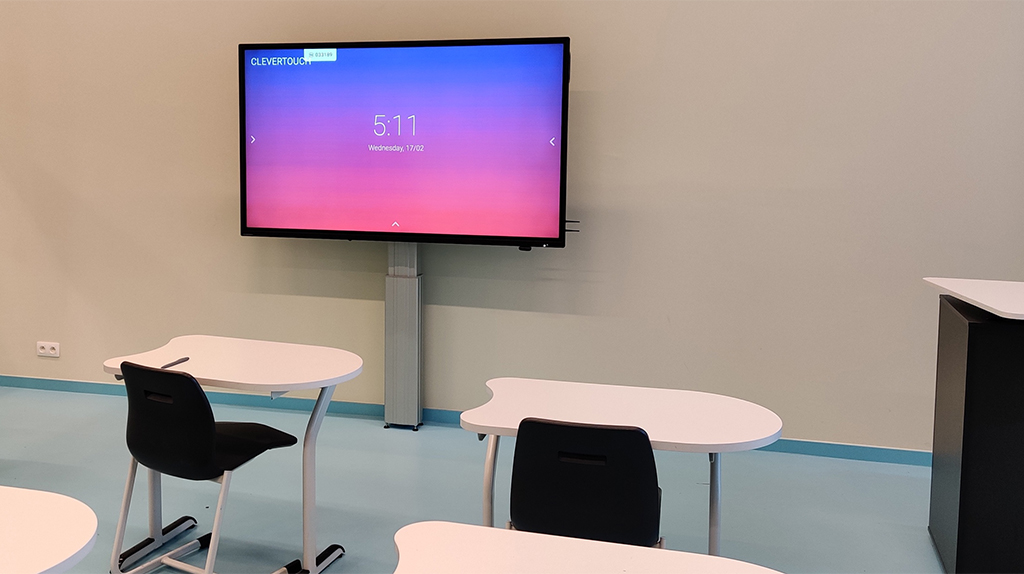
En los centros Brussels School Group (Belgium) utilizaban una gran variedad de tecnologías como pantallas interactivas y proyectores de largo alcance. Esto requería mucho mantenimiento, instalaciones de controladores de software, calibraciones… y dificultaba su gestión. Con objeto de solventar esta situación, algunas de las escuelas comenzaron a reemplazar las pantallas interactivas y los proyectores por sistemas táctiles Clevertouch Impact . Esta solución les facilitaba su funcionamientos y manejo.
Brussels School Group quedó impresionado con la calidad de las pantallas táctiles Impact, incluidas las funciones del sistema Android, la conexión USB-C para dispositivos portátiles y la gestión de dispositivos móviles (MDM). El departamento de servicios de TI encontró esta última función especialmente útil porque les ayudó a gestionar las escuelas en diferentes regiones de Bruselas. Si un usuario tiene una pregunta o necesita ayuda con un problema menor, el servicio de TI puede ayudarlo desde su sede a través del MDM. Esto ahorra tiempo y permite al departamento de servicios de TI ocuparse de otros problemas con mayor prioridad.
La tecnología de Clevertouch promueve la participación activa y el compromiso tanto, de docentes como de estudiantes.
Tras tres años utilizando esta tecnología, Brussels School Group ha invertido y ha ampliado el parque informático en más de 200 pantallas táctiles Impact, que varían en tamaño, que se suman a las 75 ya estaban en uso. La mayoría de las pantallas incluían carros y soportes de pared ajustables.
“Elegimos Clevertouch porque no es solo una pantalla táctil”, explica Filip De Pril, coordinador técnico de TI de Brussels School Group. “Es una solución y una experiencia todo en uno para todos los niveles dentro de nuestra organización”.
Features:
- Clevershare: esta aplicación permite a los usuarios compartir lo que hay en sus dispositivos, como una tableta, portátil o PC en la pantalla Impact, al tiempo que permite al docente mantener el control sobre lo que se comparte. Esto aumenta la participación activa y la colaboración de la clase.
- Pizarra Lynx: software de anotación y pizarra fácil de usar que permite a los profesores crear e impartir lecciones interactivas utilizando contenido de una variedad de fuentes, incluida la web. También hay una variedad de herramientas que pueden impulsar el aprendizaje activo, como el reconocimiento de escritura a mano y herramientas de matemáticas y ciencias.
- Snowflake: software educativo que ayuda a los profesores a crear lecciones y tareas interactivas y les ahorran tiempo de planificación para que puedan trabajar con los estudiantes directamente. Besides, permite dividir la pantalla táctil en zonas independientes para personalizar aún más la formación.
Did you like this article?
Subscribe to our NEWSLETTER and you won't miss anything.
Related articles
 Clevertouch UX PRO Edge: monitors for interactive collaboration
 Signagelive digital signage encourages communication in healthcare facilities
 Clevertouch Impact achieves more dynamic and interactive classes at Prat Educació
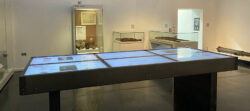 Ulster Museum encourages interactivity with Sharp/NEC display
 Carousel promotes digital signage in health centers
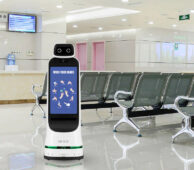 LG encourages interactivity with the user through its CLOi GuideBot robot
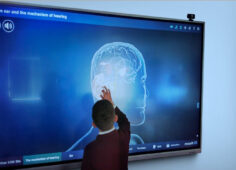 Irish Eotas centers promote educational interactivity with NovoTouch
 Los paneles interactivos Clevertouch Impact Plus actualizan los centros públicos de Kentucky
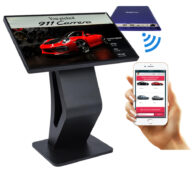 BrightSign ofrece interactividad sin contacto con el cliente en restaurantes y centros de retail
 Barco technology encourages classroom interaction and improves learning in Texas centers
 Collaboration and impactful presentations with the Clevertouch Pro Capacitive 4K monitor
 I3 Technologies fomenta la interactividad en el aula con su línea de visualización táctil
Charmex is committed to interactivity for the educational environment with Clevertouch monitors
Indiana University uses Nanolumens visual technology for its new teaching centers
I3 Technologies fomenta la interactividad en el aula con su línea de visualización táctil
Charmex is committed to interactivity for the educational environment with Clevertouch monitors
Indiana University uses Nanolumens visual technology for its new teaching centers