


Extron AV Technology Improves Communications in Caldwell Schools
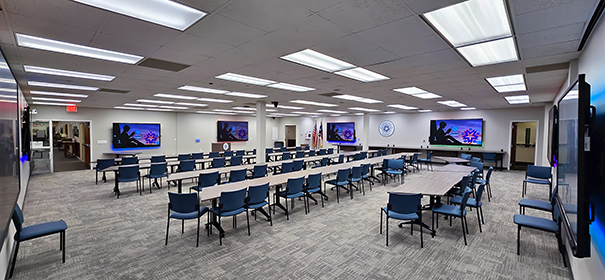
La sala de juntas de esta escuela de Carolina del Norte cuenta con ocho estaciones de trabajo que crean contenido AV y ocho monitores de 86 y 98 inches of Extron. Un NAV de AV profesional sobre IP de 1 Gbps los conecta a las estaciones de trabajo que crean contenido.
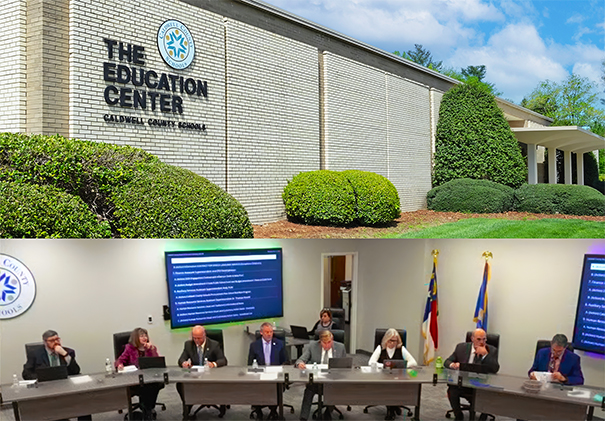
 El Caldwell Community College and Technical Institute (CCC&OF) has 11.000 estudiantes matriculados en cursos desde prescolar hasta secundaria, lo que lo convierte en el mayor proveedor de servicios educativos en esta zona de Carolina del Norte.
La dirección de la escuela buscaba comunicarse de forma transparente con todas las partes interesadas de la comunidad: students, padres, personal y proveedores. Para ello han equipado la sala de juntas con un system OFF moderno que muestra las agendas de reuniones y presentaciones en múltiples pantallas a los asistentes en persona, y envía por streaming en directo reuniones de la junta a los participantes virtuales.
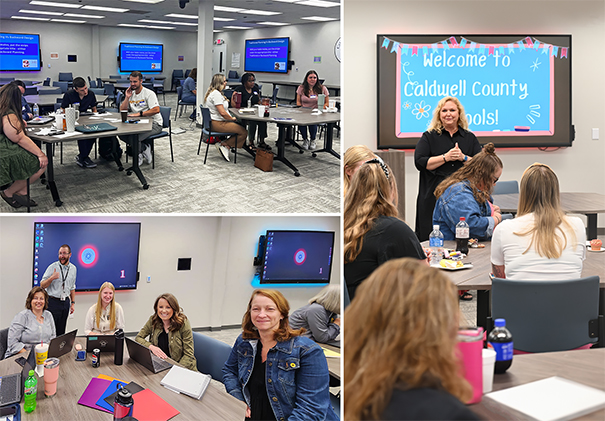
Para hacer el mejor uso del espacio, el mobiliario y el sistema AV tienen la flexibilidad de funcionar no solo como una sala de juntas, sino también como una sala de reuniones, una sala de formación o un aula de estudiantes.
El equipo informático/AV interno diseñó e instaló el sistema AV. Patrick Morgan, director de Tecnologías de vídeo y red del CCC&OF, lo realizó. Cody Greene, director de Tecnología del sistema de escuelas del condado de Caldwell, instaló, mantiene y opera el sistema AV.
“Una de las razones por las que seleccionamos ShareLink es porque muchas de las personas que se reúnen y colaboran en esta sala tienen Chromebooks. Probamos la capacidad de difusión de Chromebook con ShareLink, y funcionó bien. ShareLink también simplifica el diseño del sistema AV y ahorra en adquisición de equipamiento adicional, ya que tiene un conmutador integrado para transferir entre contenido compartido por cable e inalámbrico”, explica Patrick Morgan, director de tecnologías de vídeo y red del Caldwell Community College and Technical Institute (CCC&OF).
La clave para un espacio flexible
La sala cuenta con ocho estaciones de trabajo que crean contenido AV y ocho monitores. And NAV de AV profesional sobre IP of 1 Gbps conecta todos los monitores a todas las estaciones de trabajo que crean contenido, lo que permite que cualquier fuente se pueda mostrar en uno o todos los monitores.
Los codificadores y decodificadores escaladores NAV proporcionan entrada y salida a la red IP para conmutar y transportar contenido AV desde las fuentes a los monitores.
Los monitores están colocados a la misma distancia por la sala, dos en cada pared. Dos de los monitores son pantallas táctiles de 86 inches. Los otros seis monitores son de 98 inches.
Los monitores de pantalla táctil se utilizan en las sesiones de enseñanza en las que los instructores pueden interactuar con el contenido mostrado en la pantalla. Están montados en paredes opuestas para que las clases puedan celebrarse en cualquiera de los extremos de la sala.
Los monitores de 98 pulgadas se utilizan durante las reuniones de la dirección y eventos de la comunidad para proporcionar información fácilmente legible al público o proporcionar ambiente de fondo o imágenes informativas.
Pequeños grupos de colaboración
Para dar soporte al aprendizaje activo y otros usos en los que los participantes colaboran en grupos individuales y también comparten con los grupos vecinos de la sala, cada estación de trabajo dispone de su propio monitor.
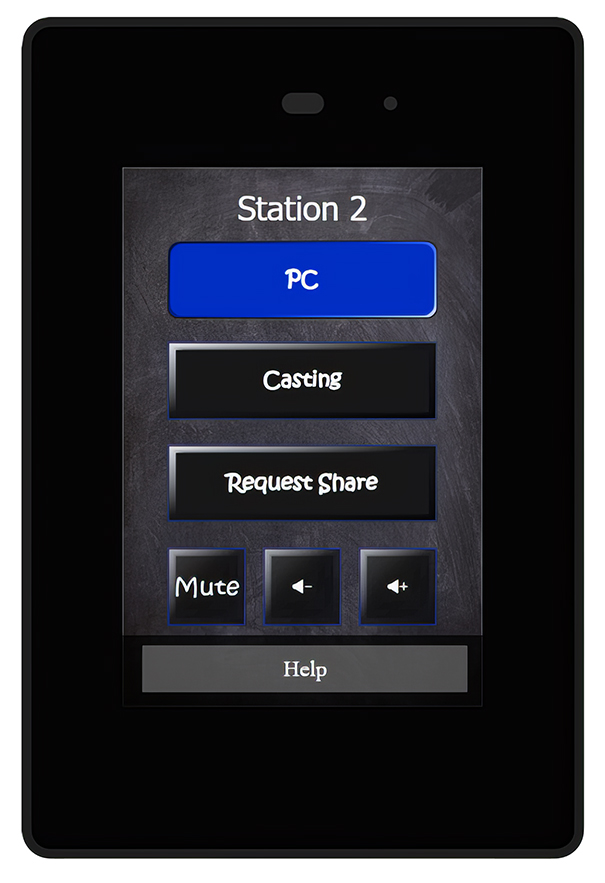
Cada estación está formada por un ordenador, un codificador NAV, un decodificador escalador NAV y una pantalla táctil TouchLink Pro de 3.5″ de montaje en pared.
El ordenador y equipamiento AV están montados detrás de los monitores. Cada estación de trabajo incluye un teclado y ratón inalámbricos para su uso con el ordenador escondido detrás del monitor. Todos los ordenadores de las workstations tienen acceso a Internet a través del la LAN del edificio del distrito escolar.
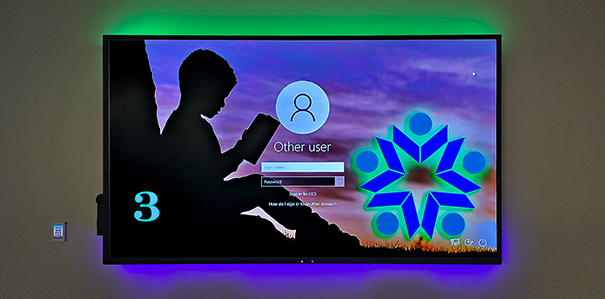
Las seis estaciones de trabajo con monitores de 98 pulgadas incluyen un sistema de presentación inalámbrica ShareLink Pro. El contenido del programa AV puede proceder del ordenador de la estación de trabajo a través de cable HDMI o de forma inalámbrica desde los dispositivos móviles de los usuarios a través del ShareLink Pro.
Los usuarios pueden seleccionar las fuentes cableadas o inalámbricas utilizando los botones de la pantalla táctil TouchLink.
Las dos estaciones de trabajo con monitores de pantalla táctil de 86 pulgadas no incluyen un panel táctil. Pueden conmutar entre contenido por cable o inalámbrico utilizando las funciones integradas en los monitores mismos.
“El sistema AV raras veces requiere mantenimiento, excepto para las actualizaciones de hardware o software previamente planificadas. Lo que es algo bueno, ya que la sala de juntas está en constante uso”, afirma Patrick Morgan, director de tecnologías de vídeo y red del Caldwell Community College and Technical Institute (CCC&OF).
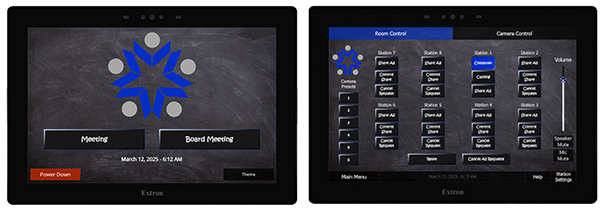
Control AV de la sala
La estación 1 es la estación principal, con control completo sobre las funciones AV de la sala. Su ordenador también recibe audio desde múltiples micrófonos de superficie, techo e inalámbricos y vídeo desde tres PTZ cameras. El ordenador cuenta con el software Zoom para teleconferencia. También dispone del software OBS Studio para capturar, componer, encode, grabar y enviar por streaming a Internet las sesiones que tienen lugar en la sala.
Los ordenadores de las ocho estaciones de trabajo se conectan a través de USB a sus codificadores NAV asociados, proporcionando a la estación principal acceso KVM para controlar cualquier otra estación.
La estación principal incluye una pantalla táctil TouchLink Pro de 10 pulgadas que muestra una interfaz de operador con funciones de control administrativas. Desde esta pantalla táctil, el operador de la estación principal puede encender y apagar el sistema AV de la sala, enrutar contenido AV entre las ocho estaciones de trabajo, garantizar los privilegios de control a otras estaciones y muchas otras funciones de control AV.
La pantalla táctil administrativa tiene funciones de botón de un toque para hacer que el funcionamiento sea intuitivo y eficiente. Un iPad almacenado en un power dock duplica la pantalla táctil de la estación principal, proporcionando control inalámbrico del sistema AV desde cualquier sala.
Retroiluminación Led
En un planteamiento novedoso y útil, los diseñadores del sistema AV Patrick Morgan y Cody Greene asignaron un código de color a cada estación de trabajo para que los participantes pudieran saber a simple vista qué estaciones de trabajo están compartiendo material del programa AV con cada uno de los monitores. Los colores de los botones en cada pantalla táctil TouchLink Pro de estación de trabajo indican el color asignado a la estación. A tira de luz Led retroilumina la parte inferior del monitor de la estación de trabajo en el mismo color.
Otra tira de luz Led retroilumina la parte superior de cada monitor de la estación de trabajo con el color de la estación de trabajo que proporciona el contenido AV que aparece en ese momento en el monitor.
El color de la tira de luz Led superior está controlado por el puerto de control infrarrojo (AND) del decodificador escalador NAV del monitor y está determinado por el enrutado de la señal AV que lleva a cabo el NAV de AV profesional sobre IP.
Patrick Morgan dispone de las certificaciones del sistema de control de diferentes fabricantes de sistemas AV, including ControlScript y Global Configurator by Extron. El utilizó Global Configurator con la sencillez de su arrastrar y soltar para asegurar que futuras actualizaciones al sistema pudieran ser llevadas a cabo por cualquier usuario.
Según Patrick Morgan, él especificó el equipamiento de Extron como parte central del sistema AV de la sala de juntas debido a la facilidad de programación y al soporte técnico de Extron.
El papel de diseño y programación del sistema AV de la sala de juntas de Morgan fue una tarea extra a su posición en el Caldwell Community College and Technical Institute. Desde la puesta en marcha de la sala de juntas, Morgan ha asistido a Cody Greene y al equipo informático de las escuelas del condado de Caldwell en diferentes actualizaciones del sistema AV que ampliaron el sistema de cuatro a ocho pantallas. Se ha planificado una mayor expansión para crear una sala adicional. Morgan sigue prestando soporte remoto a través de la red del distrito y además asiste in situ cuando es necesario.
Did you like this article?
Subscribe to our NEWSLETTER and you won't miss anything.
Related articles
 Duke Law School Enhances Learning with Extron NAV AVoIP
 Extron deploys AV technology at renovated Mt. Stadium. SAC
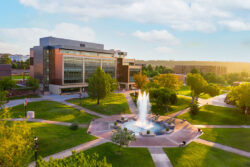 Extron Provides AV Technology to Utah Tech University
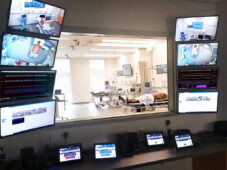 La tecnología AV de Extron potencia la formación sanitaria en el BCIT
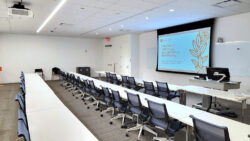 Extron Deploys AV Technology at Syracuse University NVCR
 Iiyama facilitates unified communications and improves collaboration
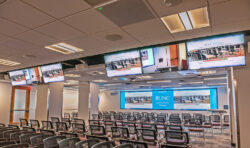 Extron AV Technology Facilitates the Dissemination of Medical Knowledge at UNC
 Extron Equipment Enhances Dallas Holocaust Museum Capabilities
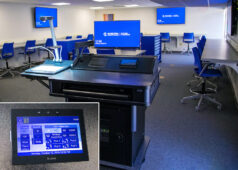 Phoenix IT Institute manages its AV systems with Extron technology
 Gazprom Neft mejora la colaboración científica con Extron NAV y XTP
 Extron improves multitasking management with its TLP Pro 1230WTG ultra-wide display
 Symantec equips its experience center with Extron AV technology
 Innovative schools in Madrid present their experiences in educational technology
 The Government of La Rioja improves its institutional communications network